Introduction
You have a solid resume. Your education is listed, your experience is accurate, your projects are included, and you've spent time making the document look professional. So why should you change it every time you apply for a new job?
Because different jobs are looking for different combinations of skills, experience, responsibilities, and qualifications.
A Software Developer position may emphasize Java, Spring Boot, REST APIs, and databases. A different position at another company may focus more on React, TypeScript, testing, and frontend performance. Your background hasn't changed, but the parts of your background that deserve the most attention can change from one application to another.
This is where resume tailoring becomes useful.
Tailoring your resume doesn't mean creating a completely new document for every job. It means taking your existing experience and presenting the most relevant parts more clearly for the specific position you're targeting.
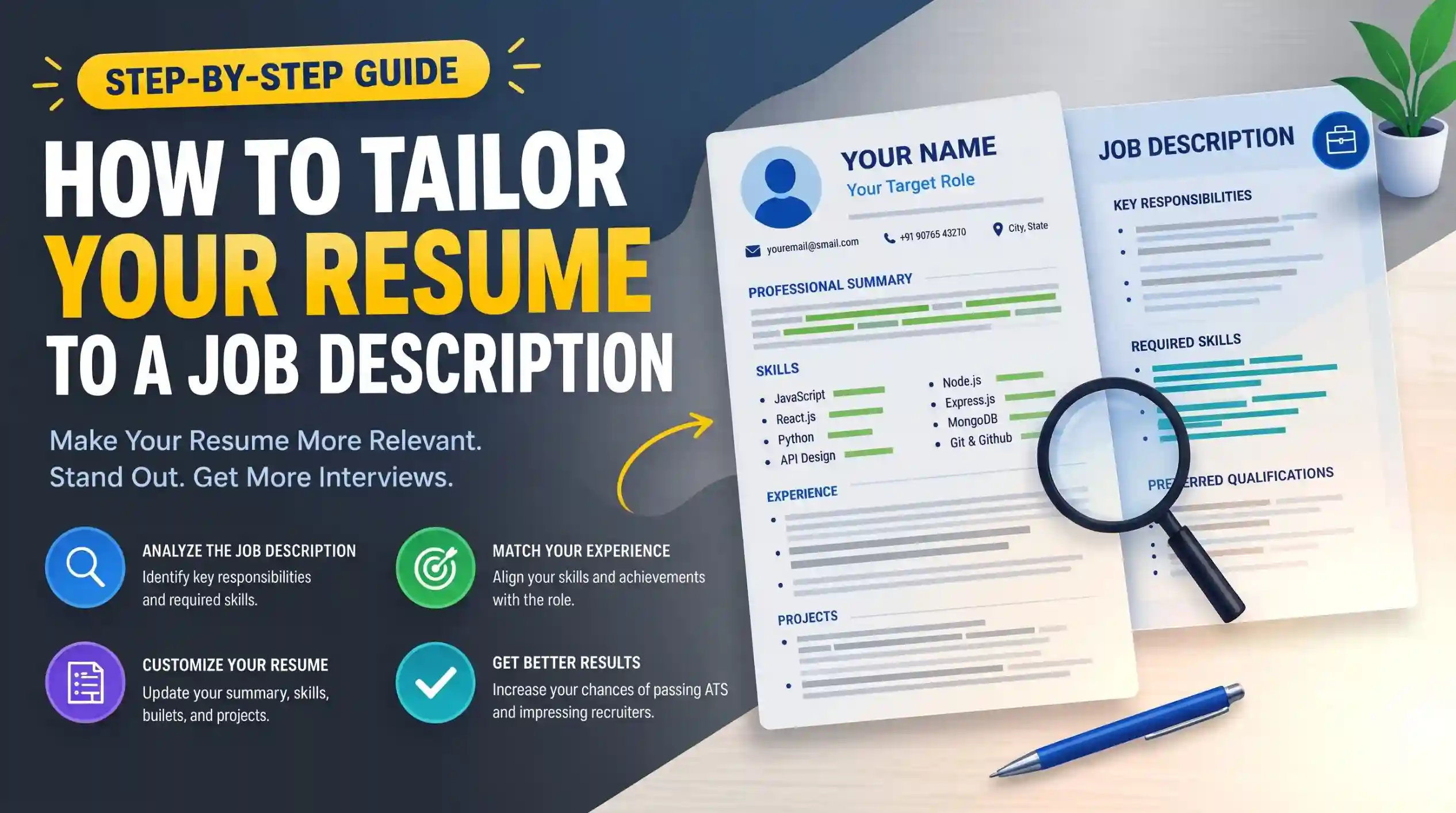
In this guide, you'll learn how to read a job description, identify its most important requirements, compare those requirements with your own background, and make focused changes to your resume.
You'll also see a practical before-and-after example, learn what to do when you don't meet every requirement, and discover how to tailor a resume without exaggerating or inventing experience.
ResumeInator Tip: Tailoring a resume is about changing the emphasis—not changing the facts.
What Does It Mean to Tailor Your Resume?
Tailoring your resume means adjusting your existing resume so that the information most relevant to a specific job is easier to find and understand.
Imagine your master resume contains:
Java
Spring Boot
React
TypeScript
SQL
MongoDB
Docker
Git
REST APIs
Jest
Now imagine you're applying for a frontend developer position that emphasizes React, TypeScript, responsive design, REST APIs, and testing.
You don't need to delete everything else you know. Instead, you might:
- Bring React and TypeScript closer to the front of your Skills section.
- Highlight relevant frontend projects.
- Rewrite certain experience bullets to make relevant frontend work clearer.
- Adjust your professional summary to reflect the target role.
- Reduce space given to technologies that aren't important for this particular position.
This is tailoring.
You're not changing your history. You're changing which parts of that history receive the most attention.
Think of it this way: Your master resume contains the complete story. A tailored resume chooses the most relevant chapters for a particular reader.
Why Should You Tailor Your Resume?
Employers don't usually hire for a generic collection of skills. They hire for a particular role with particular responsibilities.
A generic resume may contain the right experience but still make the recruiter work too hard to find the connection between your background and the position.
Tailoring can help you:
- Make your most relevant qualifications easier to find.
- Show that you understand what the position requires.
- Give greater visibility to relevant projects and achievements.
- Reduce unrelated information that competes for attention.
- Present your background in a way that's more directly connected to the target position.
Tailoring can also make your own application process more intentional. Instead of asking, "What can I put on my resume?", you're asking, "Which parts of my actual experience are most useful for this role?"
That difference matters because a tailored resume is not supposed to be a collection of keywords copied from a vacancy. It should be a clearer representation of your real qualifications in the context of a specific job.
Start With a Master Resume
One of the easiest ways to make resume tailoring manageable is to keep a complete master resume that contains your relevant history.
Your master resume can contain:
- All relevant work experience
- Major projects
- Technical skills
- Certifications
- Education
- Internships
- Volunteer experience
- Relevant achievements
The master resume doesn't necessarily need to be the document you submit to employers. It can act as your source of truth.
From that version, create a focused copy for each important application.
This approach is usually much easier than rebuilding your resume from zero every time you discover a new job opening.
Why a Master Resume Helps
Suppose you've completed ten projects during your studies and early career, but only three are relevant to a particular position. Keeping all ten in your master resume means you don't have to remember every project from scratch when another opportunity appears.
You can select the three that matter most for one application and choose a different set later.
The same principle applies to skills and experience. Your master resume can be comprehensive; your submitted resume can be selective.
ResumeInator Tip: Keep one accurate source resume and create tailored copies from it. This makes customization faster and reduces the chance of accidentally deleting useful information.
Step 1: Analyze the Job Description
Don't start editing your resume immediately after opening a job posting. First, read the description carefully.
Look for information in several different areas:
- Job title: What position is the company actually hiring for?
- Responsibilities: What will the successful candidate be expected to do?
- Required skills: Which technologies, methods, or professional abilities are explicitly requested?
- Qualifications: Are there education, certification, or experience requirements?
- Preferred qualifications: What would strengthen an application without necessarily being mandatory?
- Repeated terminology: Which skills or responsibilities appear more than once?
Repeated terms can be useful clues about what the employer considers important, but repetition alone doesn't automatically make something a requirement.
Read the job description as a whole rather than copying individual words into a list without context.
Step 2: Identify the Core Requirements
After reading the job description, create a short list of the requirements that appear most important.
For example, a fictional Frontend Developer job might say:
Responsibilities:
• Build responsive web interfaces.
• Develop reusable React components.
• Integrate REST APIs.
• Collaborate with backend developers.

Requirements:
• React
• JavaScript
• TypeScript
• HTML
• CSS
• Git

Preferred:
• Jest
• Next.js
• Accessibility
Rather than copying the entire description into your notes, organize it into categories:
Core role:
Frontend Developer

Primary technologies:
React
JavaScript
TypeScript
HTML
CSS

Important practices:
Responsive design
REST API integration
Git
Reusable components

Preferred:
Jest
Next.js
Accessibility
This makes the next stage much easier because you now have a clearer idea of what your resume needs to communicate.
Step 3: Separate Must-Have and Nice-to-Have Requirements
Job descriptions often contain a mixture of requirements. Some are essential to the role, while others are preferences or additional qualifications.
Look for language such as:
- "Required"
- "Must have"
- "Essential"
- "Preferred"
- "Nice to have"
- "Bonus"
The wording used by employers varies, so don't assume that every posting uses these exact labels. Read the surrounding sentence to understand the context.
You can create a simple comparison:
Must-have:
React
JavaScript
REST APIs
Git

Preferred:
TypeScript
Jest
Next.js
Accessibility
This helps you decide where to spend your limited resume space.
If you have the must-have experience, make it easy to find. If you also have preferred skills, include them naturally when they genuinely belong on your resume.
Important: "Preferred" doesn't mean "mandatory," and "required" doesn't mean you should claim a skill you don't have just because it appears in the job description.
Step 4: Compare the Job Description With Your Resume
Now compare the employer's requirements with your actual background.
A simple three-column comparison works well:
Job Requirement     | My Experience        | Resume Location
---------------------------------------------------------------
React               | Strong experience    | Skills + Projects
JavaScript          | Strong experience    | Skills + Experience
TypeScript          | Basic project use    | Project
REST APIs           | Practical experience | Experience
Git                 | Regular use          | Skills + Experience
Jest                | Coursework/project   | Project
Next.js             | No experience        | Do not add
This exercise helps separate three different situations:
- You have the experience and it's already visible. No major change may be necessary.
- You have the experience but it's buried. Bring it forward or describe it more clearly.
- You don't have the experience. Don't add it simply because the job description mentions it.
The second category is where resume tailoring can provide some of its greatest value. You may already have the right experience; the recruiter simply has to work too hard to find it.
Step 5: Prioritize Your Most Relevant Experience
Not every part of your background needs equal space on a tailored resume. Your goal is to give the strongest visibility to the experiences that best demonstrate your fit for the target role.
Ask yourself:
- Which project most closely resembles this role?
- Which job responsibilities overlap with the position?
- Which skills are most strongly supported by evidence?
- Which achievement would be most relevant to this employer?
- Which older or unrelated information can be shortened?
Suppose you are applying for a Backend Developer position and you've completed six projects:
Project A — REST API with Spring Boot
Project B — React Portfolio Website
Project C — Android Weather App
Project D — PostgreSQL Inventory System
Project E — Machine Learning Classifier
Project F — HTML/CSS Landing Page
You don't necessarily need to give all six projects equal attention. Projects A and D may provide stronger evidence for a backend-focused role.
Another position might make a different selection more appropriate.
This is one of the main advantages of having a master resume: you can change the emphasis without changing your underlying history.
Step 6: Tailor Your Professional Summary
Your professional summary is one of the first sections a recruiter is likely to see, so it should reflect the position you're applying for. This doesn't mean rewriting it completely for every application. It means adjusting the emphasis so the summary immediately communicates why your background is relevant to this particular role.
Imagine your existing summary says:
Computer Science graduate with experience building web applications and strong programming skills. Interested in software development and eager to begin a professional career.
Now imagine you're applying for a Frontend Developer position that specifically emphasizes React, TypeScript, responsive interfaces, and REST APIs.
If you genuinely have experience with those technologies, you could tailor the summary to say:
Computer Science graduate with hands-on experience building responsive web applications using React, JavaScript, TypeScript, and REST APIs through academic and personal projects. Interested in contributing as an entry-level Frontend Developer.
Notice what changed:
- The target role became clearer.
- Relevant technologies became more visible.
- Practical experience was emphasized.
- The summary became more specific without becoming much longer.
What did not change is equally important: no new experience was invented.
What to Change in the Summary
Depending on the position, you may adjust:
- The target role or professional direction.
- The most relevant technical skills.
- The projects or experience you want to emphasize.
- A relevant certification or specialization.
- The type of problems or work you're interested in solving.
You don't need to change every sentence. A few thoughtful edits can be enough.
ResumeInator Tip: Your summary should make the relevance of your background obvious within a few sentences. It shouldn't become a second Skills section.
Step 7: Tailor Your Skills Section
Your Skills section is one of the easiest places to make a resume more relevant because you can prioritize the abilities that matter most for the target position.
Suppose your master resume contains:
Java
Spring Boot
React
TypeScript
JavaScript
Python
SQL
MongoDB
Docker
Git
REST APIs
JUnit
For a frontend-focused role, you might prioritize:
React
TypeScript
JavaScript
HTML
CSS
REST APIs
Git
JUnit
For a backend role, the same candidate might instead prioritize:
Java
Spring Boot
REST APIs
SQL
MongoDB
Docker
Git
JUnit
The candidate hasn't learned a different set of technologies overnight. The resume is simply highlighting the experience that is most relevant to the position.
What About Skills That Are Not in the Job Description?
You don't need to remove every skill that isn't explicitly mentioned. Relevant supporting skills can still strengthen your profile.
However, the most important qualifications should be easy to find rather than being buried among a long list of unrelated technologies.
Don't Add Skills You Don't Have
This is one of the most important rules of resume tailoring.
If a job description asks for TypeScript and you've never used TypeScript, don't add TypeScript to your Skills section simply because it appears in the vacancy.
You can still apply when the rest of the role fits your background. Tailoring is about emphasizing your matches—not manufacturing them.
A focused Skills section is usually stronger than a long list designed to match every possible keyword.
Step 8: Tailor Your Experience Bullets
Your Experience section often provides the strongest evidence that your skills are real. This is where tailoring can make a major difference.
Start by identifying bullets that are most closely related to the job description. Then make sure those contributions are easy to find and described clearly.
Generic Version
• Worked on web applications using JavaScript and React.
• Fixed bugs and implemented new features.
• Collaborated with other developers.
Tailored Version for a Frontend Role
• Developed reusable React components for responsive customer-facing
  web applications.
• Integrated REST APIs and implemented frontend features using JavaScript.
• Collaborated with backend developers to deliver and troubleshoot
  production features.
The second version isn't necessarily describing different work. It simply makes the relevant responsibilities and technologies more visible.
Focus on Relevance, Not Keyword Insertion
Avoid rewriting every bullet just to include words from the job posting. Instead, ask:
- Does this bullet describe work related to the target role?
- Is the relevant technology or responsibility already missing from the wording?
- Can I describe my actual contribution more clearly?
- Is there a stronger achievement elsewhere that should receive more space?
The best tailored bullet is one that becomes more useful to the reader, not one that simply contains more keywords.
Bring Stronger Evidence Forward
If you have several achievements, give more attention to the ones that connect most closely with the target position.
Master Resume:
• Improved application loading performance.
• Built an automated reporting dashboard.
• Reduced API response time by 28%.
• Created reusable React components.
• Maintained internal documentation.
For a frontend role, the React and performance-related achievements may deserve greater visibility.
For a backend role, the API optimization achievement could become more prominent.
Step 9: Highlight Relevant Projects
Projects can be especially important for freshers and early-career candidates, but they can also help experienced professionals demonstrate skills that aren't obvious from their employment history.
If your master resume contains several projects, you don't need to give all of them equal space on every application.
Consider this example:
Projects:
1. E-commerce React Application
2. Java Spring Boot REST API
3. Machine Learning Classifier
4. Android Expense Tracker
5. Personal Portfolio Website
If you're applying for a Frontend Developer role, the React application may deserve the strongest position.
For a Backend Developer role, the Spring Boot API could become more prominent.
For a Machine Learning position, the classifier could become the most relevant project.
What to Emphasize in a Relevant Project
- The problem or purpose of the project.
- Your specific contribution.
- Technologies or methods you actually used.
- A genuine outcome or measurable result when available.
- The part of the project that connects most closely with the target role.
Don't change what the project was just to make it sound like a closer match. Change the emphasis, not the facts.
ResumeInator Tip: If a project genuinely demonstrates a skill the employer needs, make that connection clear instead of assuming the recruiter will find it on their own.
Step 10: Use Job-Description Terminology Naturally
Tailoring your resume often means using the same terminology that the employer uses when that terminology accurately describes your experience.
For example, suppose a job posting says:
• Develop responsive web applications.
• Build reusable React components.
• Integrate REST APIs.
• Collaborate with cross-functional teams.
And your resume currently says:
• Created websites using React.
• Connected frontend screens to backend services.
• Worked with team members on application features.
You could make the wording more precise:
• Developed responsive web applications using React.
• Built reusable React components for customer-facing features.
• Integrated REST APIs with frontend application workflows.
• Collaborated with backend developers and designers on new features.
This doesn't mean copying the job description word for word. The revised version is stronger because it accurately explains the candidate's own work using terminology that is also relevant to the position.
Use Synonyms Carefully
Sometimes your resume and the job description use different words for similar work.
For example, a job may say "customer relationship management" while your previous role used "client relationship management." If both terms accurately describe what you did, you can make the connection clearer in your resume.
Don't force a synonym into the resume if it changes the meaning of your experience.
Don't Repeat the Same Keyword Everywhere
Natural terminology is useful. Repeating the same phrase in every section is not necessary.
A skill might appear naturally in your summary, once in the Skills section, and again where relevant in an Experience or Project bullet. The exact placement depends on your background.
The purpose is to make your experience easy to understand—not to maximize the number of times a phrase appears.
Step 11: Reduce Less Relevant Information
Tailoring your resume isn't only about adding relevant information. It's also about deciding which existing information deserves less space.
Your master resume may contain many useful details, but a targeted resume has limited space. When every skill, project, and responsibility receives equal attention, the most important information can get lost.
Ask yourself whether each section or bullet contributes to the story you're trying to tell for this particular position.
What Can You Reduce?
- Old experience that has little connection to the target role.
- Projects that are less relevant than others you could highlight.
- Skills that don't support the position.
- Repetitive bullet points that communicate similar achievements.
- Generic statements that don't provide useful evidence.
- Detailed descriptions of responsibilities that aren't important for the target position.
Reducing information does not mean hiding something important or changing your history. It means giving the reader a clearer path to the evidence that matters most.
Example
Master Resume:

Skills:
Java, Spring Boot, React, TypeScript, Python, SQL,
MongoDB, Docker, Git, REST APIs, AWS

Projects:
• E-commerce Application
• Employee Management API
• Machine Learning Classifier
• Android Expense Tracker
• Portfolio Website

Tailored Frontend Resume:

Skills:
React, TypeScript, JavaScript, REST APIs,
HTML, CSS, Git

Projects:
• E-commerce Application
• Portfolio Website
The candidate hasn't hidden the other technologies or projects forever. They're simply choosing the information that deserves the most visibility for this particular application.
ResumeInator Tip: When space is limited, don't ask "What can I add?" Ask "What can I make easier to find?"
Step 12: Check Everything for Accuracy
Tailoring creates another risk: accidentally introducing inconsistencies. When you copy sections between versions of your resume, it's easy to leave behind an old company name, incorrect job title, outdated technology, or project detail that doesn't belong in the new version.
Before submitting a tailored resume, verify:
- Your name and contact information
- Job titles
- Company names
- Employment dates
- Education details
- Certification names
- Technology names and spelling
- Project descriptions
- Achievement metrics
- Professional profile and portfolio links
Also make sure your tailored version remains consistent with your master resume and with information that could be verified elsewhere, such as LinkedIn.
Never Change Facts to Match the Job
This distinction is critical.
You can change:
- Which skill appears first.
- Which project receives more space.
- How a genuine responsibility is described.
- Which achievement appears earlier.
- The wording used to describe an experience accurately.
You should not change:
- Employment dates
- Job titles in a misleading way
- Technologies you haven't actually used
- Certifications you haven't earned
- Achievements you didn't accomplish
- Project responsibilities you didn't perform
A tailored resume should remain completely defensible in an interview.
Step 13: Review the Resume Like a Recruiter
Once you've finished tailoring the document, stop editing for a moment and read it as if you were seeing it for the first time.
Imagine a recruiter has only a short amount of time to determine whether your background deserves a closer look.
Ask:
- Is the target role immediately clear?
- Can I quickly identify the candidate's strongest relevant skills?
- Is there evidence supporting those skills?
- Are the most relevant projects or achievements easy to find?
- Does the resume contain unnecessary information that distracts from the target role?
- Does anything sound exaggerated or unclear?
- Does the resume look like it was intentionally prepared for this position?
If a recruiter can understand the connection between your experience and the job without having to search for it, your tailoring is probably doing its job.
ResumeInator Tip: Read the resume once without editing anything. Note the first three things you notice. Those are often the elements a recruiter will notice too.
Before-and-After Resume Tailoring Example
Let's put the process together with a practical example.
Example Job Description
Frontend Developer

Responsibilities:
• Build responsive web applications.
• Develop reusable React components.
• Integrate REST APIs.
• Work with backend and design teams.

Requirements:
• React
• JavaScript
• TypeScript
• HTML
• CSS
• Git

Preferred:
• Jest
• Next.js
• Accessibility
Candidate's Existing Resume
Professional Summary:
Computer Science graduate with experience building web applications and strong programming skills. Interested in software development.

Skills:
Java
Spring Boot
React
JavaScript
TypeScript
Python
SQL
MongoDB
Docker
Git
REST APIs

Projects:
E-commerce Application
• Built a full-stack e-commerce application.
• Added authentication and product management.

Employee Management API
• Developed REST APIs using Spring Boot.
• Integrated PostgreSQL database.

Portfolio Website
• Created a responsive personal website.
Step 1: Identify the Strongest Matches
The candidate already has:
- React
- JavaScript
- TypeScript
- HTML/CSS experience through the frontend work
- Git
- REST API experience
- A responsive web project
That's already a meaningful match. The candidate doesn't need to invent anything.
Step 2: Tailor the Summary
Instead of:
Computer Science graduate with experience building web applications and strong programming skills. Interested in software development.
use:
Computer Science graduate with hands-on experience building responsive web applications using React, JavaScript, TypeScript, and REST APIs through academic and personal projects. Interested in contributing as an entry-level Frontend Developer.
Step 3: Tailor the Skills Section
Instead of giving every technology equal visibility:
Java
Spring Boot
React
JavaScript
TypeScript
Python
SQL
MongoDB
Docker
Git
REST APIs
prioritize the skills most relevant to the position:
React
JavaScript
TypeScript
HTML
CSS
REST APIs
Git
Jest
Only include Jest if the candidate has genuinely used it. If they haven't, it should not appear simply because the job description mentioned it.
Step 4: Tailor the Project Selection
The Employee Management API demonstrates useful backend experience, but the E-commerce Application and Portfolio Website may provide stronger evidence for this particular frontend role.
The candidate can therefore give those projects more attention while reducing the less relevant project.
Step 5: Improve the Relevant Bullets
- Developed responsive React components for product browsing and customer-facing application features.
- Integrated REST APIs for product and user data.
- Implemented reusable UI components using JavaScript and TypeScript.
Portfolio Website
- Built a responsive personal portfolio using React, HTML, and CSS.
- Optimized the layout for different screen sizes.
These bullets are more useful because they make the relationship between the candidate's project work and the target role easier to see.
The Final Tailored Resume
SUMMARY
Computer Science graduate with hands-on experience building responsive web applications using React, JavaScript, TypeScript, and REST APIs through academic and personal projects. Interested in contributing as an entry-level Frontend Developer.SKILLS
- React
- JavaScript
- TypeScript
- HTML
- CSS
- REST APIs
- Git
PROJECTS
E-commerce Application- Developed responsive React components for product browsing and customer-facing application features.
- Integrated REST APIs for product and user data.
- Implemented reusable UI components using JavaScript and TypeScript.
Portfolio Website
- Built a responsive personal portfolio using React, HTML, and CSS.
- Optimized the layout for different screen sizes.
Notice that the candidate didn't suddenly become more qualified. The underlying experience stayed the same. The resume simply makes the most relevant evidence much easier to find.
That's the purpose of resume tailoring: better emphasis, not invented qualifications.
How Much Should You Change?
One common concern is whether a tailored resume needs to look completely different from your master resume.
Usually, it doesn't.
Think of the amount of change this way:
| Resume Area | Typical Level of Tailoring |
|---|---|
| Professional Summary | Moderate |
| Skills | Selective |
| Experience Bullets | Targeted |
| Projects | Selective |
| Education | Usually minimal |
| Formatting | Usually minimal |
| Facts | Never changed |
For many applications, the majority of your resume can remain unchanged. The value comes from making the most relevant parts easier to find rather than rewriting every sentence.
What If You Don't Meet Every Requirement?
Job descriptions often contain long lists of requirements. It's common for candidates to match many of them without matching every single item.
That doesn't automatically mean you should stop applying.
First, separate the requirements you genuinely meet from those you don't.
Job asks for:

React
JavaScript
TypeScript
Redux
Jest
Next.js

Candidate has:

React              ✓
JavaScript         ✓
TypeScript         ✓
Redux              ✓
Jest               ✗
Next.js            ✗
The candidate already matches several core technologies. They can tailor the resume around those real strengths without pretending to know Jest or Next.js.
What If You Have Related Experience?
Sometimes you don't have the exact skill requested, but you have closely related experience.
For example, a job may request a specific testing framework while your experience involves another framework. You can accurately describe the framework you used and the testing concepts you understand, but you shouldn't rename one technology as another simply because the names are similar.
You can also use the application process to continue learning the missing skill. Just keep the current resume truthful about your present level.
ResumeInator Tip: Not meeting every requirement is different from being unqualified for the entire role. Evaluate the position based on the requirements you genuinely match rather than trying to manufacture a perfect match.
What You Should Never Fake or Exaggerate
Tailoring your resume gives you an opportunity to emphasize your strongest qualifications, but it should never involve changing the truth.
Never add or exaggerate:
- Skills or technologies you have never used.
- Certifications you haven't earned.
- Job responsibilities you didn't perform.
- Projects you didn't actually complete.
- Achievements or metrics you cannot support.
- Employment dates or job titles to make your background appear more relevant.
- Degree details, academic results, or other qualifications that are not accurate.
Even when a particular keyword appears repeatedly in a job description, that isn't a reason to add it to your resume if you don't have the corresponding experience.
What You Can Change
You can change the way genuine experience is presented without changing what actually happened.
- Reorder relevant skills.
- Bring stronger achievements forward.
- Rewrite vague bullets so your real contribution is clearer.
- Select the most relevant projects.
- Adjust your professional summary.
- Reduce less relevant details.
The safest test is simple: Could you comfortably explain every statement on your resume during an interview? If not, review or remove it.
ResumeInator Tip: A tailored resume should be selective, not fictional.
How to Tailor Your Resume Quickly Without Starting From Scratch
Tailoring every application doesn't have to take an hour. Once your master resume is organized, many applications can be customized with a focused review.
Here's a practical workflow you can use:
- Read the job description. Identify the role, major responsibilities, required skills, and preferred qualifications.
- Mark your strongest matches. Compare those requirements with your actual skills and experience.
- Adjust your summary. Bring the most relevant background and target role into focus.
- Reorder your skills. Put the most relevant genuine skills where they are easy to find.
- Review your experience bullets. Improve the wording of relevant bullets and prioritize the strongest evidence.
- Select relevant projects. Give more attention to projects that demonstrate the abilities the role needs.
- Reduce distractions. Shorten or remove information that isn't useful for this application.
- Proofread. Check names, dates, technologies, links, and the final file before submitting.
With practice, this can become a repeatable process rather than a complete rewrite every time you find a new vacancy.
A Simple 10-Minute Review
When time is limited, focus on the highest-value areas:
- Minutes 1-2: identify the job's main requirements.
- Minutes 3-4: compare the requirements with your actual experience.
- Minutes 5-6: adjust the summary and Skills section.
- Minutes 7-8: review the most relevant experience and projects.
- Minutes 9-10: proofread and verify the final version.
The exact amount of time will vary, but the important idea is to focus on the parts of the resume that can most clearly communicate your fit.
Common Resume Tailoring Mistakes
Tailoring is useful when it improves relevance. It becomes counterproductive when the process is taken too far.
1. Copying the Job Description Word for Word
Your resume should describe your experience, not reproduce the employer's vacancy. Use relevant terminology where it accurately reflects your work, but write the content from your own perspective.
2. Adding Skills You Don't Actually Have
A keyword appearing in a job description isn't enough reason to add it to your Skills section. False matches can create problems during screening and interviews.
3. Changing the Facts Between Resume Versions
Tailored resumes should remain consistent about employment dates, job titles, certifications, education, and other factual information.
4. Removing Useful Experience Just Because It Isn't in the Job Description
Not every valuable qualification needs to appear in the job posting. Supporting skills and transferable experience can still strengthen your application.
5. Adding Too Many Keywords
A keyword repeated throughout every section doesn't make a resume more relevant. Use terminology naturally and explain how you've applied the corresponding skill.
6. Rewriting Every Bullet for Every Application
Tailoring should be efficient. Focus your editing effort on the sections that can genuinely improve relevance rather than rewriting the entire resume unnecessarily.
7. Making the Resume Sound Unnatural
If a sentence sounds strange because you've forced several job-description phrases into it, rewrite it. A professional resume should still sound like a coherent document written about your own experience.
8. Forgetting to Change the Resume Filename
When you create multiple tailored versions, it's easy to upload the wrong file. Use clear filenames so you can immediately distinguish between versions.
John-Doe-Frontend-Developer-Resume.pdf
John-Doe-Backend-Developer-Resume.pdf
John-Doe-Data-Analyst-Resume.pdf
9. Tailoring the Resume but Not the Application
Your resume is only one part of an application. Make sure the information you provide in application forms, profiles, and other submitted materials remains consistent with the tailored resume.
10. Optimizing for Keywords Instead of the Actual Role
The purpose of tailoring isn't to maximize keyword coverage. It is to make your most relevant qualifications easier for the employer to identify.
ResumeInator Tip: The best tailored resume should still sound natural if you remove the job description from your screen and read it on its own.
Final Resume Tailoring Checklist
Before submitting your tailored resume, work through this final checklist.
Job Description
- I have read the entire job description rather than focusing only on the requirements list.
- I understand the main responsibilities of the role.
- I have identified the most important required skills.
- I have separated important requirements from preferred qualifications where possible.
Resume Relevance
- My target role is clear.
- My most relevant skills are easy to find.
- My summary reflects the position I'm applying for.
- My strongest relevant experience receives enough attention.
- My most relevant projects are easy to identify.
- Less relevant information has been shortened where appropriate.
Accuracy
- Every skill on my resume is something I genuinely know or have meaningfully practiced.
- My employment dates and job titles are accurate.
- My certifications and education details are accurate.
- My project descriptions accurately reflect my contribution.
- Any metrics or achievements I mention are genuine.
Final Review
- Relevant job-description terminology has been used naturally.
- I have not copied the job description into my resume.
- I have not stuffed keywords into unrelated sections.
- The resume still reads naturally from beginning to end.
- My contact information and professional links are correct.
- I am submitting the correct tailored version.
- I have opened and checked the final exported file.
A useful final question is: "Does this resume make my strongest relevant qualifications easier to understand?"
If the answer is yes, your tailoring is probably serving its purpose.
Frequently Asked Questions
Do I really need to tailor my resume for every job?
You don't necessarily need to rewrite your entire resume for every application. However, tailoring important parts such as your summary, Skills section, experience emphasis, and project selection can make your application more relevant to the specific role.
How much should I change when tailoring my resume?
It depends on how different the target position is from your existing resume. Often, a targeted summary, reordered skills, stronger relevant bullets, and selective project changes are enough. Your factual information should remain unchanged.
Should I include every keyword from the job description?
No. Use relevant terminology when it genuinely describes your experience. Adding keywords for skills you don't have or repeating them unnaturally can weaken the credibility and readability of your resume.
What if I only match some of the job requirements?
You can still consider applying when the role is otherwise a reasonable match. Highlight the requirements you genuinely meet, emphasize related experience, and don't claim qualifications you don't have.
Should I remove skills that aren't mentioned in the job description?
Not automatically. Relevant supporting skills can still be useful. Remove or reduce skills primarily when they are unrelated, outdated, or taking attention away from qualifications that matter more for the role.
Should I tailor the resume layout for every job?
Usually, major layout changes aren't necessary. Keep a clean and consistent professional design and focus your tailoring effort on the content that affects relevance. A different resume design may make sense for a substantially different career context, but it shouldn't be changed simply for the sake of customization.
Can I tailor a resume if I have no professional experience?
Yes. Freshers can tailor their resumes by emphasizing relevant education, coursework, projects, internships, certifications, technical skills, and other experiences that connect with the target position.
Can I use AI to help tailor my resume?
AI tools can help you identify repeated requirements, compare wording, or suggest ways to make genuine experience clearer. However, you should review every suggested change yourself and make sure the final resume remains accurate, natural, and based on your real experience.
Should my tailored resume use the exact wording from the job description?
Not necessarily. When the employer's terminology accurately describes your experience, using the same terminology can make the connection clearer. But your resume should still describe what you actually did rather than copying the job description.
Can I have more than one version of my resume?
Yes. Maintaining a master resume and creating focused versions for different roles can make applications easier to manage. Use clear filenames and keep each version factually consistent with your complete career history.
Final Thoughts
Tailoring your resume doesn't mean trying to create a perfect match with every job description. It means making the most relevant parts of your real background easier for the employer to identify.
Start with a complete and accurate master resume. Then read the job description carefully, identify the requirements that genuinely match your experience, and adjust the emphasis of your summary, skills, experience, and projects accordingly.
Remember that the goal isn't to add as many keywords as possible. The goal is to tell a clearer and more relevant version of your professional story for the specific position you're applying for.
If you don't meet every requirement, that's okay. Highlight the qualifications you do have, show evidence through your projects and experience, and be honest about the areas you're still developing.
A strong tailored resume should still be recognizable as your resume. The facts remain the same. What changes is the emphasis.
One final reminder: Tailor the resume to help the right information stand out—not to make yourself look like someone you're not.