Introduction
Crafting a resume when you have no professional experience can feel intimidating. Many freshers, students, or career changers struggle to showcase their potential clearly because they don't yet have a long employment history.
The key is not to pretend you have experience you don't have. Instead, focus on the skills, projects, education, internships, achievements, and other experiences that genuinely demonstrate what you can contribute.
In this complete beginner's guide, you'll learn how to write a resume that is easy for recruiters to review and compatible with common Applicant Tracking System (ATS) practices. We'll cover the sections to include, how to describe projects and other experience, how to use keywords honestly, and how to tailor your resume for different applications.
Important: You do not need previous full-time employment to create a useful resume. Your projects, education, internships, volunteering, certifications, competitions, open-source work, and other meaningful experiences can all provide evidence of what you can contribute.
Why a Strong Resume Matters
Your resume is often one of the first pieces of information a recruiter sees about you. Even without professional experience, a well-structured resume can communicate your abilities, initiative, and fit for the role.
Many employers use Applicant Tracking Systems (ATS) to collect and organize applications, and some use them to search or screen resumes for relevant information. The exact process varies between employers and systems.
Recruiters also need to find relevant information efficiently. A concise and organized resume makes it easier to identify your education, projects, skills, and other evidence that may be relevant to the role.
A good beginner resume therefore has two audiences: the systems that may process it and the people who ultimately evaluate the application.
ResumeInator Tip: Don't try to make your resume sound more experienced than you are. Make the experience you already have easier to understand.
Resume Structure for Beginners
Even without formal work experience, your resume can follow a standard structure that puts your strongest evidence where it is easiest to find:
- Contact Information: Name, professional email, phone, and relevant LinkedIn or GitHub links.
- Professional Summary: One to three concise sentences describing your background, relevant skills, practical experience, and target role.
- Education: Degree, institution, dates, relevant coursework, and notable academic achievements when useful.
- Projects & Experience: Academic or personal projects, internships, freelance work, volunteering, open-source contributions, or relevant part-time work.
- Skills: Technical and transferable skills that are relevant to the position.
- Certifications & Achievements: Relevant courses, certifications, competitions, awards, or other evidence of learning.
You don't have to use every section above. The structure should reflect your strongest evidence. For example, a fresher with several strong technical projects may place Projects prominently, while a candidate with a directly relevant internship may give that experience more attention.
If you're looking for a ready-made starting structure, our entry-level resume template guide for freshers provides a practical example you can adapt.
What Counts as Experience When You Haven't Had a Job?
"No experience" usually means no substantial formal full-time employment, not that you have nothing worth putting on a resume. If you've built projects, completed an internship, volunteered, worked part-time, participated in competitions, contributed to open source, or taken responsibility in a student organization, you already have material you can use.
The key is to describe that experience honestly and explain what you actually did.
Academic Projects
A strong academic project can demonstrate technical ability, problem solving, collaboration, and ownership. Focus on what you personally built or contributed to rather than simply listing the project title.
For example, instead of writing:
Worked on a college project.
you can explain:
Developed a student management application using Java and SQL, implementing features for student records, course information, and basic search functionality.
This gives the reader useful information about your contribution and the technologies involved.
Internships and Freelance Work
Even a short internship or small freelance assignment can provide useful evidence of working with real requirements, deadlines, clients, teammates, or professional tools.
Focus on your responsibilities and contributions rather than apologizing for the fact that the experience was short.
Volunteer and Leadership Experience
Organizing an event, mentoring students, leading a college club, or volunteering for a community project can demonstrate communication, planning, responsibility, and teamwork.
These experiences become more valuable when you explain what you actually contributed rather than simply listing the organization or activity name.
Open-Source Contributions
Contributions to open-source projects can be especially useful for technical roles because they can demonstrate how you work with existing code, documentation, issues, pull requests, and collaboration.
Mention specific contributions when possible. For example, fixing a bug, improving documentation, adding a test, or contributing a small feature tells the reader much more than simply writing "Open Source Contributor."
Part-Time or Non-Technical Work
A part-time job doesn't have to be directly related to your target career to be useful. Highlight responsibilities that demonstrate transferable skills such as customer communication, reliability, organization, problem solving, or handling deadlines.
For example, customer-facing work may demonstrate communication and problem-solving skills, while a role involving scheduling or coordination may demonstrate organization and responsibility.
Competitions, Hackathons, and Student Activities
Hackathons, coding competitions, technical clubs, student organizations, and other structured activities can also provide useful evidence when they demonstrate skills relevant to the position.
Instead of simply listing an event name, explain your role and what you achieved or learned from participating.
From a software-industry perspective, one common mistake beginners make is treating the absence of a job title as the absence of experience. A project where you designed a feature, solved a technical problem, worked with teammates, documented your work, or shipped something can give you useful evidence to discuss during an interview.
ResumeInator Tip: Think in terms of evidence rather than job titles. Ask yourself, "What have I built, solved, organized, contributed to, or learned that is relevant to this role?"
What If You Really Have Nothing to Add Yet?
If you're starting from scratch, don't invent experience. Instead, use the next few weeks to create evidence you can genuinely discuss in an interview.
- Build one small project related to the role you're targeting.
- Document what you built and the technologies or methods you used.
- Publish the project on GitHub or deploy it when appropriate.
- Complete relevant learning through a course or certification when it adds real value.
- Look for practical opportunities such as internships, volunteer work, open-source contributions, or student projects where you can take meaningful responsibility.
A small real project is more valuable than a resume filled with skills you cannot demonstrate.
The objective isn't to collect as many certificates or technologies as possible. Build something, explain what you learned, and keep evidence of the work you can show or discuss.
If you're looking for project ideas, our project ideas for freshers guide can help you choose projects that are relevant to different career paths.
Free Beginner Resume Template (2026)
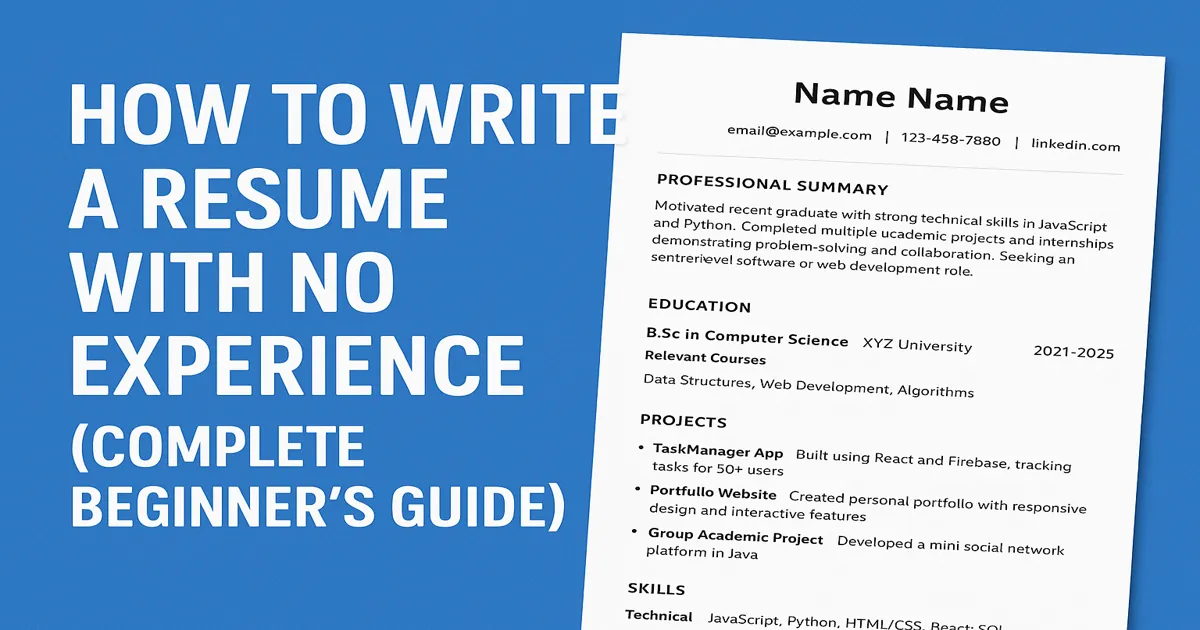
Here's a simple one-page layout that works as a starting point for beginners. Use it as a foundation, then customize the content for the role you're applying for.
Explore Free ATS-Friendly Resume Templates on ResumeInator
Sample resume: The name, university, projects, technologies, certification, and activities below are illustrative examples. Replace them with your own genuine information rather than copying the details directly.
Your Name
Email | Phone | LinkedIn | GitHub

Professional Summary
Recent Computer Science graduate with hands-on experience
building web applications using JavaScript and Python.
Completed academic and personal projects involving frontend
development, APIs, and databases. Seeking an entry-level
software or web development role.

Education
B.Sc. in Computer Science — XYZ University, 2022-2026
Relevant Courses: Data Structures, Web Development, Algorithms

Projects
- TaskManager App: Built using React and Firebase to help users
  create, organize, and track tasks.
- Portfolio Website: Created a responsive personal portfolio
  with interactive features.
- Group Academic Project: Developed a mini social network
  platform in Java.

Skills
Technical: JavaScript, Python, HTML/CSS, React, SQL
Soft: Communication, Collaboration, Time Management

Certifications
- JavaScript / Web Development Certificate (2024)

Additional Experience
- Volunteer coding mentor for beginners
The examples above are intentionally specific so you can see how a beginner resume might be structured. Replace the projects, technologies, certification, education, and activities with your own information.
How to Write Each Section
Professional Summary
Keep your professional summary short and specific. Mention your background, a few relevant skills, the type of work you've practiced, and the role you're targeting.
Avoid generic statements such as "hardworking individual seeking an opportunity" when you can give the reader more useful information.
For example:
"Recent Computer Science graduate with hands-on experience building React projects and Python applications, seeking a junior web developer position."
The summary should reflect what you can genuinely discuss. If your strongest evidence comes from academic projects, personal projects, coursework, or an internship, use that experience rather than trying to make your background sound more senior than it is.
For more examples, see our resume summary examples for freshers .
Projects & Internships
Projects are especially important when you don't have formal employment because they give you a way to demonstrate what you can actually build, solve, or contribute.
For each important project, explain what you built, what technologies or methods you used, and what you personally contributed.
A useful way to write a project bullet is: action + what you built + technology + result or purpose.
For example:
"Built a task-management application using React and Firebase, including task creation, filtering, user authentication, and real-time data updates."
If you have a genuine measurable result, include it. Numbers can make a project easier to understand because they give the reader a sense of scale or impact.
For example, if your project was genuinely used by 50 students, you could write:
"Built a React-based task-management application used by 50+ students to organize academic deadlines."
Other useful measurements might include the number of users, records processed, test cases created, response-time improvements you measured, tasks completed, or another meaningful result.
Only use numbers you can support or explain. If you don't have a reliable metric, describe the functionality, technical challenge, scope, or problem you solved instead.
Important: Never invent users, percentages, performance improvements, responsibilities, or other achievements simply to make a project sound more impressive.
Skills
Split your skills into useful categories when that improves readability. Use specific names that accurately describe what you know and, where appropriate, match terminology used in relevant job descriptions.
Avoid vague claims such as "good communication" when you can describe the skill more precisely or demonstrate it through your experience. For example, "Team Collaboration" or "Technical Documentation" gives the reader more context.
For a larger list of examples, see our guide to resume skills for freshers , including technical skills, soft skills, and tips for choosing the most relevant ones for a job.
Education & Certifications
Mention your degree, institution, dates, and relevant coursework when it helps support your target role. You can also include certifications, competitions, academic awards, scholarships, or other achievements that demonstrate relevant knowledge or initiative.
Don't list every course or certification you've ever completed. Prioritize the ones that are relevant to the position you're applying for or that provide useful evidence of your abilities.
Important Keywords for Beginners
Keywords can help make relevant qualifications easier to identify during resume screening. Include them naturally in your summary, project descriptions, skills section, education, or other places where they accurately describe your background.
Don't treat keywords as a list to copy from the job description. First identify the requirements, then connect them to something you've actually studied, built, practiced, or contributed to.
For example, if a junior frontend job mentions React, JavaScript, Git, REST APIs, and responsive design , a candidate who has genuinely practiced those skills could mention them in relevant project descriptions as well as the Skills section.
A generic skills section might look like:
Skills:
JavaScript, Web Development, Programming, Git
If the candidate genuinely has the relevant experience, a more specific version could be:
Skills:
JavaScript, React, REST APIs, Git, Responsive Design
The important point is that the second version should reflect the candidate's actual abilities. Don't copy every keyword from a job description just to increase keyword density. If you can't explain a technology or skill during an interview, it probably shouldn't be presented as one of your established skills.
Relevant keywords can appear naturally throughout your resume:
- Summary: Mention the most relevant skills when they genuinely describe your background.
- Projects: Show where and how you used the technology.
- Skills: List the relevant technologies and professional abilities clearly.
- Education: Include relevant coursework when it supports the target role.
The important thing is to use terminology that accurately represents your experience rather than trying to maximize the number of keywords on the page.
Tailoring Your Resume for Each Job
A single generic resume is rarely the best version of your application. Review the job description and identify the skills, responsibilities, and qualifications that genuinely match your background.
You don't need to rewrite every sentence for every application. Start with a strong master resume, then adjust the summary, skills, project order, and the most relevant bullets for the roles that matter most.
For example, if a frontend role emphasizes React and responsive design, give relevant React projects more space than an unrelated database assignment. If the role emphasizes testing, mention genuine testing work from your projects or coursework when you have it.
You can also adjust the order of your sections depending on what provides the strongest evidence for the role. A fresher with several strong technical projects may benefit from placing Projects before less relevant sections, while someone with a directly related internship may want that experience to receive more attention.
Do not exaggerate your experience or add technologies you have never used simply because they appear in the job description.
You can keep a master resume and create job-specific versions from it. File naming should also be clear, for example: Jane_Doe_Resume.pdf.
ResumeInator Tip: Tailoring doesn't mean changing the truth about your experience. It means making the most relevant evidence easier to find.
Common Mistakes to Avoid
A lack of professional experience is not the only challenge beginners face. Sometimes the bigger problem is how the available experience is presented. Avoid these common mistakes when preparing your resume:
- Leaving skills vague or generic instead of showing what you can actually do.
- Overloading the resume with unrelated projects or personal information.
- Submitting an image-based PDF or screenshot instead of selectable text.
- Using inconsistent formatting, fonts, dates, or section headings.
- Copying a generic template without adapting the content to the target role.
- Listing technologies or skills you cannot explain or demonstrate.
- Inventing project metrics, responsibilities, users, or achievements.
- Writing long paragraphs when concise bullet points would communicate the work more clearly.
- Adding unnecessary personal information that does not help demonstrate your suitability for the role.
A beginner resume does not need to look impressive because it is packed with information. It needs to make the relevant information easy to understand and support.
For a broader review of formatting, content, and ATS-related problems, see our guide to the top 50 resume mistakes .
ResumeInator Tip: A short, accurate resume is stronger than a longer resume filled with claims you cannot support.
What Makes a Beginner Resume Easier to Review
When you don't have professional experience yet, your resume should make your strongest evidence easy to find. A recruiter or hiring manager should be able to understand what you're studying, what you've built, which skills you've practiced, and what type of role you're targeting without searching through long paragraphs.
Put your most relevant projects, skills, internships, or achievements where they can be found easily. If you're applying for a frontend role, for example, a React project that demonstrates real functionality is more useful than a long list of unrelated tools.
Links can also provide useful evidence. If you have a GitHub repository, portfolio, deployed project, or other professional work that you're comfortable sharing, include it when it adds meaningful context to your resume.
Keep the information relevant to the role. A beginner resume does not need to include every activity you've participated in since school. Prioritize experiences that demonstrate skills, responsibility, problem solving, learning, or achievements that relate to the position.
Review your resume from the perspective of someone seeing your application for the first time. The most useful question is: "Can this person understand what I've done and why it matters for this role?"
How ResumeInator Can Help
ResumeInator gives you a structured way to build your resume while applying the principles discussed in this guide. You can explore different designs, organize your education, projects, skills, and other sections, and review the finished resume before submitting it.
The goal isn't to make every resume look identical. It's to give you a clean starting point so you can focus on the information that actually represents your experience.
You can also use ResumeInator's ATS Resume Scanner to review your resume for common structural and content checks before applying.
Treat automated feedback as a review aid rather than a guarantee that a particular employer will shortlist you.
Before and After Resume Example
Here's a simple example of how a fresher can make a resume statement more specific without exaggerating their experience.
Before: "Computer Science graduate. Familiar with Java."
After: "Computer Science graduate with hands-on experience building Java-based academic projects. Developed a student management application using Java and SQL, with features for managing student records and course information."
The second version gives the recruiter more useful information: the candidate's education, practical experience, technology, and type of project.
Notice that it doesn't claim a user count, performance improvement, or other metric that the candidate cannot verify.
The same principle applies to project descriptions throughout your resume: be specific about what you actually did, but don't turn a small academic or personal project into something it wasn't.
Frequently Asked Questions
Can I write a resume with no experience?
Yes. Focus on education, projects, skills, certifications, volunteering, internships, and other experiences that demonstrate your ability to contribute. You do not need to invent formal work experience.
What should I include in a beginner resume?
Include your contact information, a concise summary, education, relevant projects or internships, skills, and relevant certifications or achievements. The exact order can change depending on which experience provides the strongest evidence for the role.
Is a one-page resume enough for beginners?
A one-page resume is often enough when you're starting your career, but it isn't a universal requirement. Focus on relevant information rather than shrinking or removing useful evidence just to force the document onto one page.
Should freshers include projects on their resumes?
Yes. Relevant academic, personal, open-source, and internship projects can provide useful evidence of your skills, especially when you have limited professional experience. Explain what you built, what you used, and what you personally contributed.
Can I include skills I'm still learning?
Yes, when you're transparent about your level. If you're actively learning a technology through coursework, a project, or another structured learning activity, you can mention it when appropriate. Be prepared to explain what you've learned and what you've actually used so far.
Should I include volunteer work or college activities?
Yes, when they demonstrate skills or responsibilities relevant to the position. Leadership, communication, organization, teamwork, and problem-solving experience can all be useful when presented with clear context.
Where can I get a free beginner resume template?
ResumeInator provides resume templates that you can customize for your target role. Choose a suitable design, add your information, and review the finished resume before applying.
Before You Apply: A Final Beginner Resume Review
Before sending your resume, take a few minutes to review it from the perspective of someone seeing your application for the first time. The goal is to make the important information clear, relevant, and easy to verify.
Use this final checklist before submitting your application:
- Can I immediately tell what type of role I'm targeting? Your summary, skills, projects, and other relevant experience should make your intended direction reasonably clear.
- Are my strongest projects or experiences easy to find? Put the evidence that is most relevant to the position where it can be identified without searching through the entire document.
- Do my listed skills appear elsewhere as evidence? Whenever possible, show where you actually used an important technology or skill rather than presenting it only as a keyword.
- Are all numbers and achievements genuine and explainable? Make sure every metric, responsibility, result, and achievement is something you can confidently discuss during an interview.
- Are my contact details and links correct? Check your email address, phone number, LinkedIn profile, GitHub repository, portfolio, or other professional links before submitting.
- Is the document readable and logically structured? Check headings, spacing, dates, bullet points, page breaks, and overall readability.
- Did I tailor the important parts for this particular job? Review the job description one final time and make sure your strongest relevant evidence is easy to find.
- Have I reviewed the final exported file? Open the exact PDF or document you plan to upload and make sure the text, links, formatting, and page layout appear correctly.
You don't need to keep editing your resume forever. Once the document is accurate, relevant, readable, and ready to support a particular application, submit it and continue improving your experience.
ResumeInator Tip: Your first resume does not need to prove that you already know everything. It needs to show what you've learned, built, contributed to, and can confidently discuss.
Conclusion
Writing a resume with no experience is really about showing evidence of what you can do. Focus on education, projects, skills, internships, volunteering, certifications, and other experiences that genuinely support the role you're targeting.
Don't invent experience or inflate project results. A smaller project that you can explain confidently is more useful than a long list of impressive-sounding claims that you cannot support.
Remember that you don't need to have a perfect career history before you can create a useful resume. Your first resume is simply a way to organize the evidence you already have and present it clearly.
When you're ready to build your resume, you can explore ResumeInator's free resume templates and choose a design that fits your target role.
The goal isn't to create a perfect resume. It's to create an accurate, relevant, readable document that makes your real qualifications easier to understand.