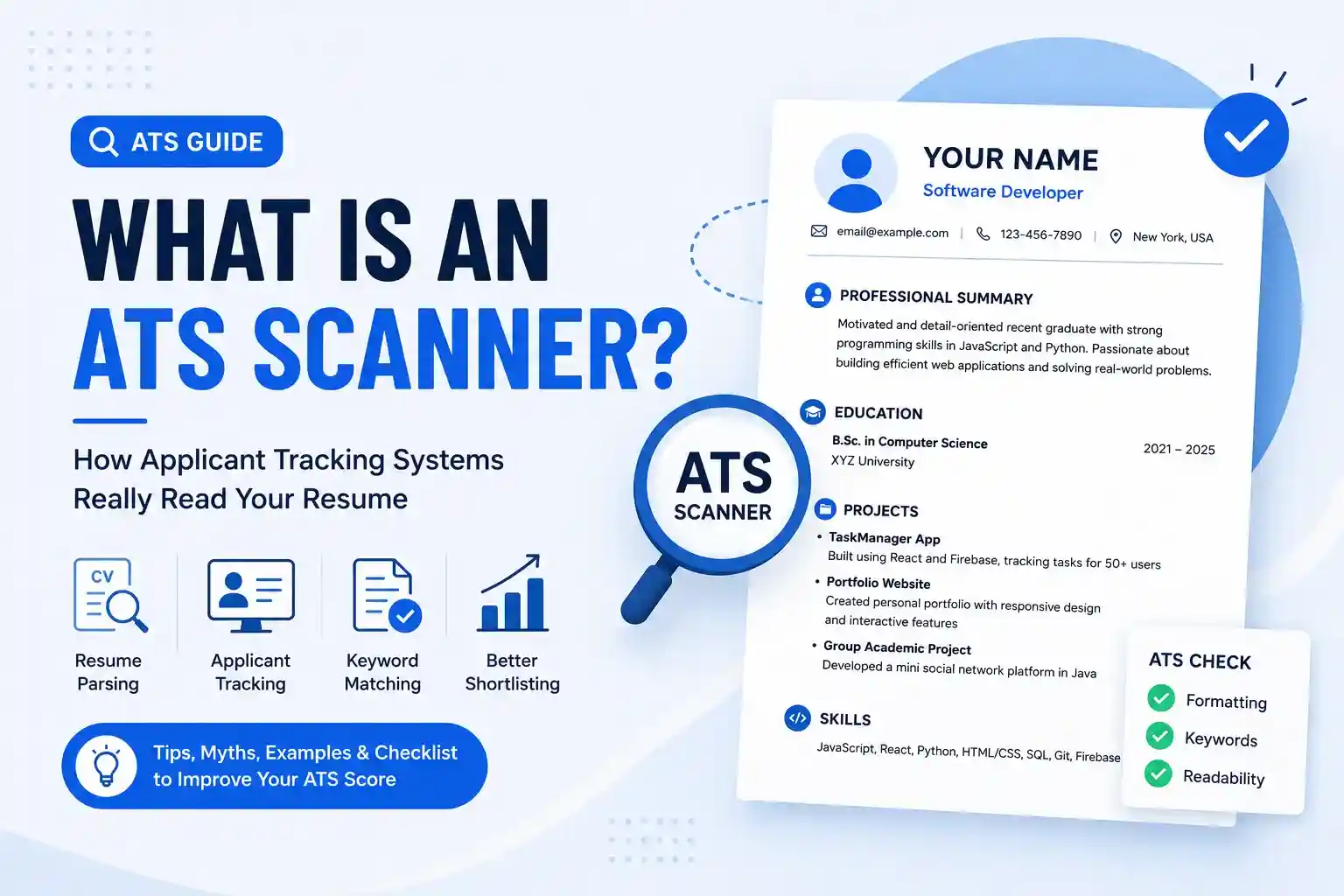
Have You Ever Applied for a Job and Never Heard Back?
You spend an entire evening updating your resume. You carefully rewrite your professional summary, improve your work experience, fix spelling mistakes, and export the final version as a PDF. After reading it one last time, you're convinced this is the best resume you've ever created.
You find a job that matches your skills, click Apply, upload your resume, and wait.
Days pass. Then weeks. Nothing.
No interview invitation. No recruiter call. Sometimes not even a rejection email.
There can be many reasons an application doesn't move forward. Your experience may not match the role closely enough, the employer may have chosen another candidate, or the hiring process may simply have changed. In some cases, however, your resume may also be difficult for recruitment software to process or search.
Many organizations use software known as an Applicant Tracking System (ATS) to collect, organize, search, and manage job applications.
Because of this, you've probably come across phrases such as ATS-friendly resume, ATS Scanner, or ATS Resume Checker. These terms are common among job seekers, but they are also surrounded by a lot of myths and oversimplified advice.
Quick Answer
An ATS Scanner is a resume analysis tool that checks areas such as document structure, section recognition, formatting, readability, keywords, and other resume-related signals that may affect how your resume is interpreted. It can help you improve your resume before applying, but it cannot predict interviews or guarantee a job.
In this guide, we'll explain what an Applicant Tracking System is, what an ATS Scanner does, how resume parsing works, how recruiters may search candidate information, why keywords matter, and how ResumeInator's own ATS Scanner fits into that process.
What Is an Applicant Tracking System (ATS)?
An Applicant Tracking System, commonly called an ATS, is recruitment software used by organizations to manage candidates throughout the hiring process.
Imagine a company posts a Frontend Developer position and receives hundreds or even thousands of applications.
Opening every PDF manually, organizing resumes into folders, tracking interview stages, and remembering which candidates have particular skills would quickly become difficult.
Applicant Tracking Systems help centralize that information.
A useful way to think about an ATS is as a digital recruitment workspace. Instead of simply storing resume files, it can help recruiters collect applications, organize candidate records, search information, track hiring stages, schedule interviews, and collaborate with other people involved in recruitment.
| Without an ATS | With an ATS |
|---|---|
| Resume files spread across different folders or systems | Candidate information stored in a centralized recruitment platform |
| Manual searching through applications | Search and filtering tools for candidate information |
| Email chains for interview coordination | Recruitment workflow and status tracking |
| Difficult collaboration between hiring participants | Shared candidate records and recruitment workflows |
| Scattered hiring records | Candidate history and application information in one place |
One important misconception is that an ATS is simply a machine that automatically rejects resumes containing too few keywords.
In reality, ATS platforms can support many parts of the recruiting process. The exact features and workflow vary by product and by how an employer configures and uses the system.
Think of it this way: An ATS is primarily a recruitment system for collecting, organizing, searching, and working with candidate information. Employers may also configure their systems to automate certain screening or workflow steps.
Why Do Companies Use Applicant Tracking Systems?
Hiring can generate a large amount of information very quickly. A single vacancy may receive applications from job boards, company careers pages, referrals, and other sources.
Without recruitment software, much of a recruiter's time could be spent on administrative work rather than evaluating candidates.
Applicant Tracking Systems can help organizations:
- Collect applications from different sources.
- Store candidate information in one place.
- Track candidates through different hiring stages.
- Search candidate records using relevant information.
- Coordinate interviews and recruiting workflows.
- Maintain hiring records for future reference.
The exact capabilities vary between ATS products. Some platforms provide much more advanced automation and reporting than others.
Recruiter's Perspective
Recruiters are generally trying to identify candidates whose experience, skills, qualifications, and background are relevant to the position. A clearly structured resume makes that information easier to find and evaluate.
Does Every Company Use an ATS?
No. Companies use different recruitment processes, and not every organization uses an Applicant Tracking System in the same way.
A smaller business hiring only a few people may manage applications through email, spreadsheets, or a simpler recruiting tool. Larger organizations often use dedicated ATS platforms because they need to manage larger numbers of candidates and more complicated hiring workflows.
Even when companies use different systems, many recruitment platforms share the same broad goals:
- Organize candidate information.
- Search and review application data.
- Track hiring progress.
- Improve recruiting workflow efficiency.
This is one reason why a clear and well-structured resume is useful even when you don't know which recruitment platform an employer is using.
ATS vs ATS Scanner vs Resume Parser: What's the Difference?
These three terms are often used interchangeably, but they describe different parts of the resume and hiring process.
| Term | What It Means |
|---|---|
| Applicant Tracking System (ATS) | Recruitment software used by employers to collect, organize, search, and manage candidate applications throughout the hiring process. |
| Resume Parser | Technology or a processing component that extracts structured information from a resume, such as names, job titles, dates, employers, education, and skills. |
| ATS Scanner | A resume analysis tool that helps job seekers identify potential issues involving formatting, structure, readability, keywords, and other resume-related checks before applying. |
Understanding the difference is important because an ATS Scanner is not simply a copy of an employer's Applicant Tracking System. Different employers can use different platforms, configurations, workflows, and screening methods.
An ATS Scanner is therefore best treated as a practical resume improvement tool, not as a guaranteed simulation of what every company will do with your application.
What Is an ATS Scanner?
An ATS Scanner is a resume analysis tool that evaluates different aspects of your resume and identifies areas that may deserve improvement before you submit an application.
Instead of predicting whether you'll get hired, an ATS Scanner can help you review things such as document structure, recognizable sections, formatting, keywords, readability, and other resume-quality signals.
Think of it as reviewing your resume from the perspective of software that needs to understand the information in your document.
Just as a grammar checker can highlight potential writing problems before you send an email, an ATS Scanner can highlight potential resume problems before you send an application.
What an ATS Scanner May Analyze
- Resume structure
- Section detection
- Heading recognition
- Formatting consistency
- Text readability
- Keyword relevance
- Contact information
- Work experience structure
- Education details
- Skills information
- Resume completeness
A useful scanner should do more than produce a number. It should give you enough context to understand why an area may need improvement and what you can do about it.
How Does an ATS Scanner Work?
The exact process varies between tools, but resume scanners commonly follow a workflow similar to the one below.
1. Resume Upload
You upload your resume, typically as a PDF or DOCX file depending on what the scanner supports.
2. Text Extraction
The scanner extracts readable text from the document so that it can analyze the information instead of relying only on the visual appearance of the page.
3. Section Detection
The system looks for recognizable resume sections such as Summary, Experience, Education, Skills, Projects, and Certifications.
4. Resume Analysis
The tool evaluates the document according to the checks it has been designed to perform. These can include structure, formatting, keywords, completeness, readability, and other signals.
5. Feedback
The scanner presents findings or suggestions that can help you improve the resume before applying.
The important point is that an ATS Scanner is providing analysis and feedback. It is not the employer's hiring decision.
How ResumeInator's ATS Scanner Helps
ResumeInator's ATS Scanner follows the same general idea: first work with the readable information extracted from your uploaded resume, then evaluate that information against a set of resume-related checks.
Depending on the resume and the information available in it, the scanner can examine areas such as:
- Resume structure
- Recognizable section headings
- Bullet point usage
- Skills and relevant terminology
- Resume completeness
- Formatting-related signals
- Job description relevance
- Overall ATS-related resume checks
The purpose is to give job seekers practical feedback they can use to improve their resumes before applying.
The score produced by ResumeInator is a practical indicator based on the checks performed by the scanner. It should not be interpreted as a universal score used by every Applicant Tracking System.
Different employers use different recruitment platforms and configurations. The scanner is therefore best used as a way to identify potential improvements rather than as a prediction of what a specific employer will do with your resume.
You can learn more about practical ways to improve your result in our guide to improving your ATS resume score .
ResumeInator Tip: Use an ATS Scanner as a second opinion. Combine automated feedback with your own review of the resume, the job description, and the actual experience you're trying to communicate.
What Is Resume Parsing?
One of the most important concepts behind recruitment software is resume parsing.
Resume parsing is the process of extracting structured information from a resume so that software can work with individual pieces of information rather than treating the document as one large block of text.
When a human reads a resume, it is natural to recognize a candidate's name, job title, employer, dates, education, skills, and bullet points. Software has to identify those elements programmatically.
From a practical software perspective, this can be thought of as a transformation from a visually arranged document into information that software can interpret and organize.
For example, imagine a resume contains:
John Smith
Software Engineer
ABC Technologies
January 2022 - Present
Developed React applications and integrated REST APIs.
A parser may attempt to interpret the information approximately like this:
| Resume Content | Possible Parser Interpretation |
|---|---|
| John Smith | Candidate Name |
| Software Engineer | Job Title |
| ABC Technologies | Employer |
| January 2022 - Present | Employment Duration |
| React, REST APIs | Potential Technical Skills |
This is one reason clear resume structure matters. When headings, dates, job titles, and other information are presented consistently, software has a clearer opportunity to interpret the document correctly.
Parsing isn't guaranteed to be identical across every ATS platform. Different systems can interpret the same document differently, which is another reason to keep important resume information clear, structured, and selectable.
Can an ATS Read Every Resume Perfectly?
No. Resume processing systems can sometimes struggle when important information is presented in unusual or inconsistent ways.
For example, some resumes rely heavily on:
- Images containing important resume text
- Complex nested tables
- Decorative icons replacing actual text
- Complicated multi-column layouts
- Scanned documents instead of selectable text
- Unclear or inconsistent section headings
That doesn't mean every modern ATS will fail to process these formats. Different platforms have different parsing capabilities. However, adding unnecessary complexity creates another variable you don't need to worry about when a simpler structure can communicate the same information.
Important
A resume can be visually attractive and still be difficult for software to interpret. A practical approach is to keep important information as real, selectable text with a logical reading order and familiar section structure.
This also benefits human readers. A clean structure makes your resume easier to scan regardless of which recruitment software an employer uses.
How Recruiters May Search Candidate Information Inside an ATS
Once applications have been collected and resume information has been processed, recruiters may use search or filtering features to narrow down a large candidate pool.
Imagine a recruiter hiring for a Full Stack Developer position and receiving hundreds of applications.
Depending on the ATS and how the employer has configured it, the recruiter may search or filter candidate records using skills, job titles, qualifications, experience, or other information extracted from resumes.
For example, a recruiter could be looking for candidates with experience involving:
- React
- Node.js
- TypeScript
- Express
- MongoDB
- AWS
- REST APIs
- Docker
This is one reason why your resume should accurately describe the technologies, responsibilities, and qualifications you genuinely have.
The objective isn't to fill your resume with keywords. It is to describe your real experience using terminology that naturally matches the work and the role you're applying for.
Illustrative Example
The following example is illustrative. Replace the technologies, metrics, and achievements with information that genuinely represents your own experience.
Developed reusable React components using TypeScript, integrated REST APIs, and improved application performance by approximately 35% during testing.
If you actually measured a performance improvement, a metric like this can make the contribution easier to understand. If you did not measure one, describe the improvement without inventing a percentage.
Why Resume Keywords Matter
If you've searched for ATS resume advice, you've probably seen suggestions such as:
- "Add more keywords."
- "Copy the entire job description."
- "Repeat important skills several times."
These suggestions are oversimplified. Relevant terminology can help recruiters identify matching qualifications, but simply repeating words does not turn a weak resume into a strong one.
The better approach is to describe your genuine experience using the language that naturally matches the position.
Think Like a Recruiter
Imagine you're hiring for a React Developer position. Compare these two examples:
Resume A
React
React
React
JavaScript
React
Redux
React
TypeScript
React
Resume B
Developed reusable React components using TypeScript and Redux, integrated REST APIs, and improved application performance during testing.
Resume B naturally demonstrates how the candidate used the technologies instead of simply repeating them.
What Kind of Keywords Should You Include?
Your resume should accurately represent your background while using terminology that is relevant to the role you're targeting.
Depending on your profession, relevant terminology can include:
| Category | Examples |
|---|---|
| Programming Languages | Java, JavaScript, Python, C#, Go |
| Frameworks | React, Angular, Spring Boot, Express.js |
| Cloud Platforms | AWS, Azure, Google Cloud |
| Databases | PostgreSQL, MySQL, MongoDB |
| Methodologies | Agile, Scrum, Kanban |
| Tools | Git, Docker, Kubernetes, Jenkins |
| Professional Skills | Leadership, Communication, Collaboration |
You don't need to place every relevant term into a single Skills section. Important technologies and responsibilities can also appear naturally in your professional experience and project descriptions.
For example, instead of writing only:
Skills:
React, JavaScript, REST APIs
you can demonstrate those skills through actual experience:
Developed React components using JavaScript, integrated REST APIs, and implemented reusable frontend modules for customer-facing features.
This gives the reader both the keyword and the context behind it.
Should You Copy Keywords From the Job Description?
This is one of the most common ATS questions.
The practical answer is: use relevant keywords from the job description when they genuinely describe your experience.
Suppose a job description mentions:
- React
- REST APIs
- Redux
- TypeScript
- Git
If you've actually worked with those technologies, include them naturally in your Skills section and in relevant project or experience descriptions.
If you've only seen a technology mentioned in a job description but have never used it, don't claim it as an established skill simply to improve keyword matching.
Avoid Keyword Stuffing
Recruiters don't just search for keywords—they also read the resume. Repeating the same technology over and over without explaining how you used it can make the document harder to read and less convincing.
A stronger approach is to mention the technology where it naturally supports an achievement, responsibility, project, or technical result.
ATS-Friendly Resume vs Human-Friendly Resume
One of the biggest misconceptions is that you must choose between writing for software and writing for recruiters.
In reality, a good resume should work for both.
| ATS-Friendly Resume | Recruiter-Friendly Resume |
|---|---|
| Clear section headings | Easy to skim and understand |
| Logical document structure | Professional, readable presentation |
| Relevant terminology | Achievement-focused content |
| Machine-readable text | Readable typography and spacing |
| Consistent dates and job information | Clear career or project progression |
Notice the overlap. Most ATS-friendly practices are simply good resume practices.
If your resume is organized, readable, and clearly communicates your experience, both software and human reviewers have an easier time understanding it.
Resume Compatibility vs Job Match: What Is the Difference?
A resume can be well structured and easy for software to process while still being a weak match for a particular position.
These are two different questions:
- Resume compatibility: Can the document's information be read, organized, and understood clearly?
- Job match: Does the candidate's actual background contain the skills, qualifications, and experience relevant to this particular role?
For example, a well-formatted Java developer resume may be easy to parse while still being a poor match for a position that specifically requires React and TypeScript.
This distinction is important when using an ATS Scanner. A scanner can identify potential resume-quality or compatibility issues, and some tools can also compare your resume with a job description. Neither type of analysis can guarantee that an employer will choose you.
Common Resume Mistakes That Can Reduce ATS Compatibility
Many resumes become harder to process or review not because the candidate lacks experience, but because important information is presented in a confusing way.
- Using images instead of text: Important information such as contact details, job titles, or skills should remain actual selectable text.
- Putting important information in headers or footers: Keep critical information in the main document body rather than relying on areas that may not be extracted consistently.
- Using inconsistent date formats: Keep employment, education, and project dates consistent throughout the document.
- Using unnecessarily complicated layouts: Tables, multiple columns, text boxes, and decorative elements can make the reading order harder to interpret depending on the software.
- Using unclear section titles: Familiar headings such as Experience, Education, Skills, Projects, and Certifications make the document easier to understand.
- Listing responsibilities without context: Whenever possible, explain what you actually contributed or achieved.
- Submitting the same resume for every role: Tailoring relevant skills, projects, and experience can make the resume more closely aligned with a particular position.
- Keyword stuffing: Repeating technologies without demonstrating how you used them makes the resume less useful to human readers.
Fortunately, most of these problems are straightforward to identify and fix. For a broader review of formatting, content, and recruiter-facing problems, see our guide to the most common resume mistakes .
Real Example: Before and After Resume Optimization
A useful way to understand resume optimization is to compare a vague description with a more specific one.
The following example is illustrative. Replace the technologies, metrics, and achievements with information that genuinely represents your own experience.
Before
Worked on company website.
Fixed bugs.
Used JavaScript.
Participated in meetings.
After
Developed reusable React components using JavaScript and TypeScript, integrated REST APIs, resolved production issues, and collaborated with cross-functional teams to deliver new features across multiple releases.
The second version gives the reader more useful information. It identifies the technologies, type of work, contribution, and collaboration without relying on vague statements.
If you genuinely have a measurable result, you can make the bullet even stronger. For example, if you actually measured a performance improvement, you could write:
Optimized API response handling and reduced average response time from 900 ms to 450 ms during performance testing.
The important part is not the number itself. It is that the number is genuine, measurable, and something you can explain.
Can Resume Design Affect ATS Compatibility?
Good design and ATS compatibility are not opposites. A resume can look modern and professional while still keeping the information structured and readable.
The important thing is to make visual design support the content instead of making the content harder to extract or understand.
- Use whitespace effectively.
- Keep headings consistent.
- Choose a readable professional font.
- Maintain a logical reading order.
- Keep important information as selectable text.
- Avoid unnecessary decorative elements.
Modern ATS platforms can handle a range of document designs, so you don't need to make your resume visually boring. The practical goal is to avoid adding complexity that doesn't provide meaningful value.
For more guidance on typography and layout, see our guide to the best resume fonts .
ResumeInator Tip: Good resume design should support readability, organization, and hierarchy rather than compete with the information itself.
How to Use an ATS Scanner as a Final Resume Check
An ATS Scanner can be useful as a final review step after you've written your resume. The goal is not to chase a particular score or assume that one tool perfectly represents every employer's recruitment system.
Instead, use the feedback to identify potential issues that are easy to overlook, such as unclear section structure, missing information, inconsistent formatting, or terminology that does not clearly reflect the requirements of the role.
ResumeInator's ATS Scanner can review areas such as:
- Resume structure and section recognition
- Bullet point usage
- Relevant skills and terminology
- Resume completeness
- Job description relevance
- Formatting-related signals
- Other ATS-related resume checks
The result is best treated as feedback, not as a hiring prediction. A resume can receive a strong score and still be a poor match for a specific role, while a lower score does not automatically mean that an employer will reject the application.
The most useful workflow is:
- Write an accurate resume based on your real experience.
- Tailor the important parts to the target role.
- Review the document yourself for clarity and relevance.
- Use an ATS Scanner to identify additional potential issues.
- Make only changes that genuinely improve the resume.
ResumeInator Tip: Don't change a truthful and useful resume simply to increase a scanner score. The objective is a better resume, not a bigger number.
ATS-Friendly Resume Checklist
By this point, you've learned how Applicant Tracking Systems work, how resume parsing works, and why clear, structured content matters. Before submitting your next application, take a few minutes to review your resume using the checklist below.
Think of this as a final quality check. Just like developers test software before releasing it, reviewing your resume before clicking Apply can help you catch issues that are easy to overlook.
- Uses clear section headings such as Summary, Experience, Skills, Education, Projects, and Certifications.
- Contact information is easy to locate and contains a professional email address.
- Resume contains selectable text instead of scanned images.
- Uses readable and consistent typography throughout the document.
- Dates follow a consistent format across experience and education.
- Work experience focuses on meaningful contributions instead of only responsibilities.
- Relevant skills naturally match the job description when they genuinely reflect your experience.
- Projects demonstrate practical experience and genuine outcomes where measurable results are available.
- Spelling and grammar have been reviewed carefully.
- The final exported resume has been opened and checked before submission.
A checklist cannot replace judgment. Review the finished resume as a whole and make sure the most relevant evidence for the position is easy to find.
How to Improve Your Resume Before Applying
You don't necessarily need to redesign your entire resume every time you apply for a new position. In many cases, the most useful improvements are small changes that make your experience more relevant and easier to understand.
Before submitting your application, ask yourself:
- Does my resume clearly explain what I achieved?
- Have I mentioned the technologies, tools, or methods I genuinely worked with?
- Does my professional summary match the type of role I'm applying for?
- Would someone unfamiliar with my work understand my responsibilities?
- Have I included measurable achievements where I genuinely have them?
- Is the resume easy to scan without relying on complicated formatting?
- Have I removed information that isn't relevant to this particular role?
Improving a resume doesn't always mean adding more content. Sometimes the better decision is to remove repetition, clarify a vague bullet point, reorder your strongest experience, or make a relevant skill easier to find.
Small Improvements Matter
Changing a weak bullet point into a specific achievement, adding a relevant project, or improving your professional summary can often be more useful than redesigning the entire document.
Before making a change, ask whether it improves the reader's understanding of your actual qualifications. This keeps optimization focused on clarity and relevance rather than cosmetic changes.
Frequently Asked Questions
Can an ATS reject my resume automatically?
Applicant Tracking Systems can be used in different ways by different employers. Some may support automated screening, searching, ranking, or workflow steps, while others may primarily be used to organize applications. An ATS should not be treated as a universal automatic rejection system.
What is considered a good ATS score?
There is no universal ATS score accepted by every employer or every Applicant Tracking System. Different resume scanners use different checks and scoring methods. Instead of focusing only on the number, review the specific feedback and improvements suggested by the tool.
Should I submit my resume as PDF or DOCX?
Follow the employer's instructions whenever a specific file format is requested. Otherwise, both PDF and DOCX can be used in many modern application systems, provided the document contains readable, selectable text and the formatting is preserved correctly.
Can ATS read two-column resumes?
Some modern Applicant Tracking Systems can interpret two-column layouts, but complex layouts may still create parsing challenges depending on the software and document structure. A simple, logical layout generally reduces unnecessary risk.
Should I include every skill listed in the job description?
No. Include skills and technologies that genuinely reflect your experience. You can use relevant terminology from the job description when it accurately describes your background, but don't add skills you cannot explain or demonstrate.
Can an ATS Scanner guarantee interviews?
No. An ATS Scanner can help identify potential resume improvements, but hiring decisions depend on the employer, the role, the candidate pool, your qualifications, and the overall hiring process.
Is an ATS Scanner the same as an Applicant Tracking System?
No. An Applicant Tracking System is recruitment software used by employers to manage candidate applications. An ATS Scanner is a resume analysis tool used to identify potential resume issues before an application is submitted.
Does a higher ATS score mean I will get an interview?
No. A score from an ATS Scanner is only an indicator based on that particular tool's checks. A higher score does not guarantee that your qualifications match a job or that a recruiter will invite you to an interview.
Key Takeaways
Let's summarize the most important ideas from this guide:
- An Applicant Tracking System helps employers organize, search, and manage job applications.
- A resume parser extracts structured information from a resume so recruitment software can work with individual pieces of candidate data.
- An ATS Scanner is a resume analysis tool that helps job seekers identify potential areas for improvement.
- There is no single ATS score or formatting rule that guarantees success with every employer.
- Relevant keywords matter, but keyword stuffing does not replace genuine experience.
- A clear document structure benefits both software and human readers.
- Genuine achievements are more useful than vague responsibilities.
- Different Applicant Tracking Systems can process resumes differently.
- The best way to use an ATS Scanner is as feedback that helps you improve your resume, not as a prediction of hiring outcomes.
Final Thoughts
Applicant Tracking Systems have changed how many organizations manage recruitment, but they haven't changed what ultimately matters: your skills, experience, qualifications, and the value you can bring to a role.
Instead of viewing ATS software as an obstacle, think of it as another stage in the communication process. Your resume needs to present your information clearly enough for software to process and for a recruiter to understand.
A well-structured resume is not about trying to trick an ATS. It is about making your real experience easier to identify, organize, and evaluate.
Take a few minutes to review the structure, wording, keywords, and formatting of your resume before each important application. Small, honest improvements can make the document clearer and more relevant.
Check Your Resume Before You Apply
Before submitting your next application, you can use ResumeInator's ATS Scanner to review your resume and identify areas that may need attention.
You can review resume structure, section detection, bullet points, relevant terminology, job-description matching, and other ATS-related checks before you apply.
Remember that the result is a practical resume analysis, not a prediction of whether an employer will interview or hire you.
About ResumeInator
ResumeInator helps job seekers build professional resumes, review ATS compatibility, and prepare stronger job applications without unnecessary complexity.
Our goal is to make resume building and resume review more accessible, practical, and useful for everyone—from students applying for their first internship to experienced professionals preparing for their next career move.