Introduction
Have you ever applied for several jobs and received little or no response? If so, you're not alone. One reason job seekers start looking for ways to improve their ATS resume score is the concern that their resume may not be communicating their qualifications clearly during the application process.
Many employers use an Applicant Tracking System (ATS) to collect, organize, search, and manage applications. But an ATS is not simply a machine that assigns every resume a universal score and rejects anything below a fixed threshold.
Different Applicant Tracking Systems can work differently, and employers can configure recruitment workflows in different ways. Resume scanners also use their own scoring methods and checks.
For a deeper explanation of ATS platforms, resume parsers, and ATS scanners, see our guide to what an ATS Scanner is and how ATS and resume parsing work .
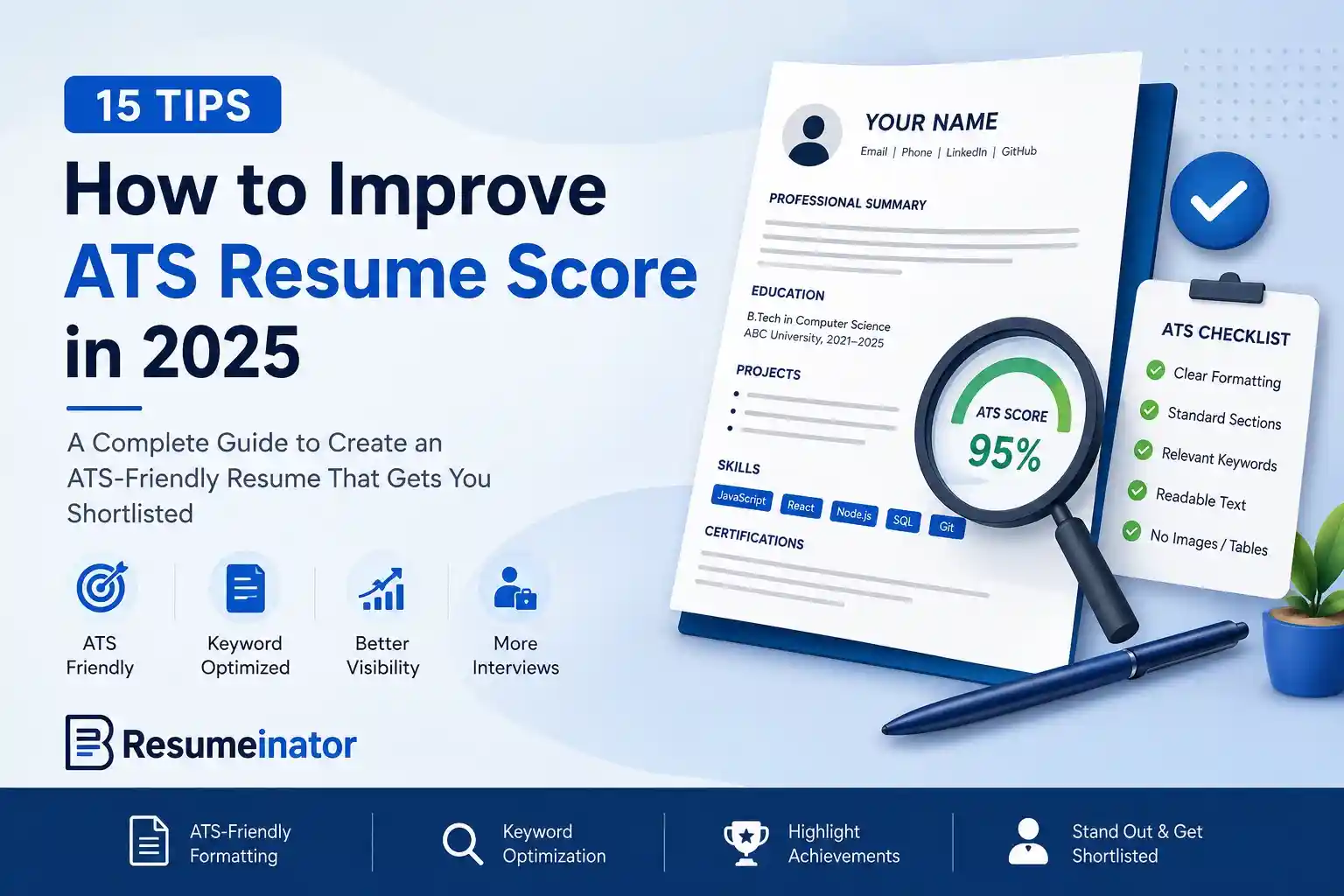
In this guide, you'll learn 15 practical tips that can help you improve the areas commonly checked by resume scanners while also making your resume clearer for recruiters. These are not tricks designed to fool an ATS. They are practical resume-writing and optimization techniques that help you present your real experience more effectively.
ResumeInator Tip: A useful ATS score should be a consequence of a stronger resume, not the objective of the resume itself.
Why Improving Your ATS Resume Score Matters
Some job postings receive large numbers of applications, which can make it difficult for recruiters to review every resume manually.
Applicant Tracking Systems can help employers organize information such as:
- Contact information
- Work experience
- Education
- Technical skills
- Certifications
- Projects
- Relevant terminology
The easier your resume is to understand and search, the easier it can be for the people and systems involved in the hiring process to work with the information you've provided.
Important: Your goal isn't to optimize your resume for software alone. Your goal is to create a resume that's clear, relevant, readable, and easy for both Applicant Tracking Systems and recruiters to understand.
What Does an ATS Resume Score Actually Mean?
Before trying to improve an ATS resume score, it's important to understand what that score represents. There is no single ATS score used by every employer or every Applicant Tracking System.
Different ATS platforms can parse, search, filter, and organize candidate information differently. Resume scanners can also use their own scoring systems and evaluation criteria.
So when we talk about improving your ATS resume score in this guide, we're referring to improving the areas that a resume analysis tool may evaluate, such as resume structure, relevant keywords, readability, completeness, formatting-related signals, and job-description relevance.
Important: A higher score from a resume scanner does not mean an employer's ATS will assign your resume the same score, and it does not guarantee an interview.
The most useful way to approach an ATS score is as a feedback signal. If a scanner identifies a missing section, weak keyword relevance, unclear structure, or another issue, use that information to improve the underlying resume rather than chasing a number for its own sake.
What Actually Improves an ATS Resume Score?
Because different systems and scanners use different methods, there is no universal formula for improving an ATS score.
However, resumes are generally easier to process and review when they:
- Use clear and familiar section headings.
- Contain relevant keywords naturally.
- Follow a simple, readable structure.
- Highlight genuine achievements and contributions.
- Use consistent dates and formatting.
- Avoid unnecessary layout complexity.
- Match the most relevant parts of the job description honestly.
The 15 tips below focus on these practical principles instead of trying to "game" an Applicant Tracking System.
1. Read the Job Description Carefully
One of the simplest ways to improve the relevance of your resume is also one that many candidates skip: carefully reading the job description before updating your resume.
A job description often tells you what the employer considers important, including required skills, technologies, certifications, responsibilities, and preferred qualifications.
For example, a Frontend Developer position may repeatedly mention:
- React
- TypeScript
- REST APIs
- Responsive Design
- Git
If you genuinely have these skills, make sure they're visible in the relevant parts of your resume. Don't limit them to the Skills section; mention them naturally in your work experience or project descriptions where they accurately describe what you did.
Avoid copying the job description word for word. Instead, identify the important requirements and reflect your real experience using similar terminology where appropriate.
ResumeInator Tip: Read the job description before updating your resume—not after. Spending a few minutes identifying the role's most important requirements makes it much easier to decide which experience should receive the most attention.
2. Use Standard Resume Section Headings
Resume creativity can be useful when you're presenting projects or achievements, but your section headings should remain familiar and easy to understand.
Common resume headings include:
- Professional Summary
- Work Experience
- Projects
- Education
- Skills
- Certifications
Avoid replacing standard headings with creative alternatives such as:
- My Journey
- Things I've Built
- Knowledge Hub
- Career Story
- Professional Adventures
These alternatives may look interesting, but familiar headings make the document easier for both software and human readers to interpret.
Clear section names also help maintain consistency when you tailor the same master resume for different positions.
3. Include Relevant Keywords Naturally
Keywords can help make your qualifications easier to identify during resume screening, but many candidates misunderstand how they should be used.
Simply repeating the same keyword does not create a stronger resume. Different Applicant Tracking Systems process resumes differently, and recruiters still need meaningful context to understand how you used a particular skill.
Consider this example.
Poor Example:
React
React
React
JavaScript
JavaScript
REST API
React
Git
React
Better Example:
Developed reusable React components for an e-commerce application, integrated REST APIs, collaborated using Git, and optimized JavaScript performance.
The second example provides useful context while naturally including relevant technical terms.
Focus on demonstrating your actual experience instead of trying to place the same keyword into every sentence.
You can also use the same terminology across your Summary, Experience, Projects, and Skills sections when it accurately describes your work.
4. Write Bullet Points That Show Impact
Recruiters need to review applications efficiently, so large paragraphs can make it harder to identify your most important contributions.
Instead of writing long descriptions, break your experience into concise bullet points. Each bullet should ideally communicate one meaningful responsibility, contribution, achievement, or result.
Less Effective:
Worked on frontend applications, fixed bugs, collaborated with team members, and developed new features.
Better:
- Developed responsive React features for customer-facing applications.
- Resolved frontend defects and improved component reliability.
- Integrated REST APIs to support dashboard functionality.
- Collaborated with designers and backend developers in an Agile team.
The second version makes each contribution easier to scan and gives the reader more useful information than one large paragraph.
5. Quantify Your Achievements Whenever Possible
Numbers can make achievements easier to understand because they provide context about scale, improvement, or results.
The following numbers are illustrative examples. Replace them with metrics you genuinely achieved and can explain. If you don't have a reliable metric, describe the result or functionality without inventing a number.
Compare these two examples:
Before:
Improved website performance.
After:
Reduced website loading time by 38% through code splitting, image optimization, and lazy loading.
Another example:
Before:
Built a task management application.
After:
Built a React-based task management application used by more than 200 students to organize assignments and deadlines.
These examples are useful only when the numbers are real. If the application was actually used by 200 students, the number adds useful context. If you don't know the number, don't make one up.
Useful metrics can include:
- Number of genuine users
- Projects or features completed
- Team size
- Measured performance improvements
- Time saved
- Test cases or test coverage
- Revenue or cost impact, when genuinely measurable
- Other verifiable outcomes
If exact metrics aren't available, use a number only when you can reasonably support it. Otherwise, explain the scope, functionality, or result without inventing an estimate.
ResumeInator Tip: Quantifying genuine achievements can make your contribution easier to understand. The goal is not to add numbers everywhere—the goal is to use numbers when they actually tell the reader something useful.
6. Choose an ATS-Friendly Resume Format
Your resume's structure plays an important role in how easily both recruiters and software can understand your information. A clean, logical layout improves readability without sacrificing professionalism.
For many candidates, a reverse chronological format is a practical choice because it places recent experience first and makes career progression easy to follow. Other formats can make sense in specific situations, but a clear and conventional structure is usually the safest starting point.
A common resume structure is:
- Contact Information
- Professional Summary
- Skills
- Experience and/or Projects
- Education
- Certifications and other relevant sections
The exact order can change based on your background. Freshers may place Projects before professional experience to highlight practical work, while experienced professionals will usually give more space to relevant work history.
The important thing is to choose a structure that makes your strongest evidence easy to find. A format shouldn't be selected simply because it looks different from other resumes.
ResumeInator Tip: Your layout should help the reader find your strongest evidence quickly. Don't add visual complexity simply to make the resume look different.
7. Organize Your Skills Section Properly
Your Skills section should do more than list technologies. Grouping related skills can make the section easier to scan and helps recruiters quickly identify areas of expertise.
Instead of listing everything as one long block:
Skills:
React
Java
Node.js
Git
MongoDB
SQL
Express
HTML
CSS
Docker
Spring Boot
Postman
you could organize them into categories:
Programming Languages
• Java
• JavaScript

Frontend
• React
• HTML5
• CSS3

Backend
• Node.js
• Spring Boot
• Express.js

Databases
• PostgreSQL
• MongoDB
• MySQL

Tools
• Git
• Docker
• Postman
• Azure DevOps
This structure improves readability while making it easier to locate the technologies that matter for a particular role.
Only include skills you're genuinely comfortable discussing during an interview. A keyword may help a recruiter find your resume, but claiming a technology you cannot explain can create a much bigger problem later.
For additional ideas on choosing and presenting relevant skills, see our guide to resume skills for freshers .
8. Avoid Unnecessary Graphics and Complex Layouts
Modern resumes sometimes include colorful icons, progress bars, timelines, multiple columns, and decorative graphics. These can look attractive, but they don't always improve communication.
Important information can become harder to interpret when it is placed inside images, complicated tables, decorative elements, or unusual layouts. Different ATS platforms also handle document structures differently.
Be particularly careful about relying on:
- Large decorative icons for important information
- Progress bars to represent skill levels
- Text embedded inside images
- Complex multi-column layouts
- Nested tables used primarily for visual design
For example, instead of showing:
React ★★★★★
Java ★★★☆☆
Node.js ★★★★☆
simply list the technologies:
- React
- Java
- Node.js
Your projects and professional experience can provide much better evidence of your proficiency than a visual rating.
The practical rule is simple: don't use a complicated visual element when ordinary text can communicate the same information more clearly.
9. Use Professional Fonts and Consistent Formatting
Font choice is only one part of resume typography, but it has a noticeable effect on readability. A professional resume should make the content easy to read rather than making the reader notice the typography first.
Readable professional fonts can include:
- Inter
- Lato
- Arial
- Calibri
- Helvetica
- Noto Sans
No single font guarantees a higher ATS score. Choose a font that is readable, exports reliably, and works well with the rest of your layout.
Keep formatting consistent throughout your resume:
- Use a clear typographic hierarchy.
- Keep spacing consistent.
- Use bold text intentionally.
- Align headings consistently.
- Maintain consistent date formatting.
- Avoid unnecessary mixing of multiple font families.
For a deeper look at typography, font sizes, serif versus sans-serif choices, and professional resume fonts, see our guide to the best resume fonts in 2026 .
ResumeInator Tip: Good typography should make your resume easier to read, not become the main feature of the page.
10. Submit the Right File Format
Before submitting a resume, always check whether the employer has specified a particular file format.
If the job posting explicitly requests a DOCX file, follow those instructions. If no format is specified, a text-based PDF is often a practical choice because it can preserve the visual layout across different devices.
Before submitting your resume, check:
- Can you select the text inside the PDF?
- Does the formatting remain consistent?
- Do your hyperlinks work correctly?
- Are all pages displaying properly?
- Is the file name professional and easy to identify?
Avoid submitting:
- Scanned image PDFs
- Password-protected files when not requested
- Compressed screenshots of your resume
A professional file name is also helpful. Instead of:
Resume_Final_v12.pdf
use something clear such as:
John_Doe_Frontend_Developer_Resume.pdf
ResumeInator Tip: Open the final exported file before submitting it. Check the document on another device if possible so you can catch unexpected spacing, missing text, broken links, or layout changes.
11. Create a Tailored Version for Each Job
Once you've identified the important requirements in a job description, the next step is to create a version of your resume that brings your most relevant experience to the foreground.
You don't need to rewrite your resume from scratch every time. Keep a master resume containing your complete experience, then create a tailored copy for each important application.
For example, imagine your master resume contains:
Java
React
Spring Boot
SQL
Docker
Git
Azure DevOps
REST APIs
TypeScript
A frontend developer position may emphasize React, TypeScript, REST APIs, Git, and responsive design. If those skills genuinely match your background, your tailored version can bring those technologies and the projects or experience using them closer to the top.
Tailoring is not limited to keywords. You can also:
- Adjust your professional summary.
- Reorder relevant projects.
- Bring the most relevant experience higher on the page.
- Shorten bullets that are less relevant to the role.
- Emphasize genuine responsibilities that match the position.
The goal isn't to add skills you don't have. It is to make the most relevant evidence easier to find.
A tailored resume might therefore emphasize:
React
TypeScript
REST APIs
Git
JavaScript
Responsive Design
Java
Spring Boot
This approach allows you to maintain one complete source resume while creating focused versions for different positions.
Most importantly, every change should remain truthful. A tailored resume should emphasize your real experience—not create new experience.
ResumeInator Tip: Tailoring is about changing emphasis, not changing facts.
12. Proofread Your Resume Carefully
Even a well-structured resume can leave a poor impression if it contains spelling mistakes, grammar errors, or inconsistent information.
Before submitting your resume:
- Read the document slowly from beginning to end.
- Check spelling and grammar.
- Verify company names and job titles.
- Check that every date is correct.
- Make sure date formats are consistent.
- Verify LinkedIn, GitHub, portfolio, and other important links.
- Remove accidental duplicate bullets or outdated information.
Reading the resume aloud or asking someone you trust to review it can help you notice mistakes that are easy to miss after looking at the same document repeatedly.
A final proofreading pass is especially important after tailoring a resume because copied sections can accidentally leave behind the wrong company name, job title, technology, or project.
Proofreading is not about making the resume longer or more keyword-heavy. It is about making sure the information you're presenting is accurate, consistent, and ready to be evaluated.
13. Include Relevant Certifications and Qualifications
Relevant certifications and qualifications can strengthen a resume, particularly when you're entering a new field, building credibility in a technical area, or applying for a role where a particular certification is valued.
Don't list every online course you've completed. Prioritize certifications and formal training that support the position you're targeting.
Depending on the role, examples can include:
- Cloud certifications
- Programming or development certifications
- Data and analytics certifications
- Cybersecurity certifications
- Project management certifications
- Relevant professional training
For example, a cloud-focused role may value relevant AWS, Azure, or Google Cloud training, while a frontend role may benefit more from evidence of practical JavaScript, React, or web-development knowledge.
Certifications should support your application rather than replace practical evidence. When possible, combine them with projects, professional experience, coursework, or other examples showing how you've applied the knowledge.
Also verify that certifications are current when the credential has an expiration date or renewal requirement.
Important: A certification is useful when it strengthens the story your resume is already telling. It should not be included simply to add another keyword.
14. Don't Stuff Your Resume with Keywords
Keyword repetition is one of the most common misunderstandings about ATS optimization.
Repeating the same technology dozens of times doesn't demonstrate proficiency. It can make the resume harder to read and may make the content feel unnatural to a recruiter.
Avoid writing things like:
React
React
React
JavaScript
React
Git
React
REST API
React
Instead, explain how you actually used those technologies:
Better example:
Developed reusable React components, integrated REST APIs, collaborated with backend developers using Git, and improved application performance through code optimization.
The stronger version contains relevant terminology while also explaining the candidate's contribution.
Think of keywords as part of the language of your experience, not as a list that needs to be repeated as many times as possible.
A useful final check is to read the resume as a person rather than as a search engine. If a sentence sounds unnatural because a keyword was added only for matching purposes, rewrite it.
15. Test Your Resume Before Applying
Before submitting your resume, perform one final review of the actual file you plan to upload.
Ask yourself:
- Are all sections clearly labeled?
- Is the text easy to read?
- Are the most relevant skills visible?
- Have I highlighted genuine achievements?
- Does the formatting remain consistent?
- Are the links working?
- Does the exported PDF contain selectable text?
- Does the resume accurately match the job I'm applying for?
You can also use an ATS resume scanner as an additional review step. A scanner can help identify potential issues that you may have overlooked, but its feedback should be treated as guidance rather than a guarantee of what an employer's ATS will do.
If you use a scanner, review the individual findings rather than focusing only on the final number. A useful score should lead you toward specific improvements you can actually make.
The final test should be more than a score check. Open the exact file you plan to submit and verify the content, layout, links, dates, and document structure one last time.
ResumeInator Tip: Don't change a truthful and useful resume simply to increase a scanner score. The objective is a better resume, not a bigger number.
Final ATS Resume Checklist
After applying the 15 tips above, use this final checklist before submitting your application:
- Customized the resume for the specific position.
- Used familiar and clearly labeled resume sections.
- Included relevant keywords naturally.
- Explained achievements and contributions clearly.
- Included genuine metrics where they add useful context.
- Organized skills into readable categories when appropriate.
- Used a clean and consistent layout.
- Followed the employer's requested file format.
- Checked spelling, grammar, dates, and professional links.
- Reviewed the final exported resume before submitting it.
- Confirmed that important document text remains selectable.
- Removed unnecessary keyword repetition and irrelevant content.
The goal isn't to make the resume satisfy an imaginary universal ATS formula. The goal is to make your real qualifications easier to identify, understand, and evaluate.
Before you submit, take one final look at the resume as a human reader. The strongest version is the one that balances clear structure, relevant terminology, useful evidence, and honest representation of your experience.
How ResumeInator Can Help
ResumeInator provides tools that can help you build and review your resume before applying for a job. You can organize your experience, skills, projects, education, certifications, and other relevant sections using a structured resume format.
ResumeInator's ATS Scanner provides an additional review step by checking areas such as resume structure, recognizable sections, bullet points, relevant terminology, job-description matching, and other ATS-related signals.
The scanner's result should be treated as a practical feedback indicator, not as a universal ATS score or a prediction of whether a company will interview you.
The best workflow is to build an accurate resume first, tailor it to the position, review it yourself, and then use automated feedback as an additional perspective.
ResumeInator Tip: Use automated feedback to find potential problems, but always decide whether a suggested change actually makes your resume clearer, more relevant, and more truthful.
Frequently Asked Questions
Can improving my ATS resume score guarantee an interview?
No. Improving the areas evaluated by a resume scanner can make your resume clearer and more relevant, but interview decisions depend on the employer, the role, the candidate pool, your qualifications, and the overall hiring process.
How often should I customize my resume?
Ideally, customize your resume for each important application by highlighting the skills, projects, and experience most relevant to that job description. You don't need to rewrite the entire resume from scratch; a tailored version can be created from a master resume.
Should I submit my resume as PDF or DOCX?
Follow the employer's instructions whenever a specific format is requested. If no format is specified, a text-based PDF is often a practical choice because it can preserve your layout across different devices.
Is a one-page resume always required?
No. Freshers often benefit from keeping their resume to one page because they usually have less information to present. Experienced professionals may need two pages when that additional space is necessary to explain relevant work and achievements clearly.
Can Applicant Tracking Systems read PDF resumes?
Many modern Applicant Tracking Systems can process text-based PDF files, but the exact behavior varies by platform. Avoid scanned or image-only PDFs because they may not contain machine-readable text.
Does a higher ATS score mean I will get an interview?
No. A score from a resume scanner reflects that particular tool's checks. A higher score does not guarantee that your qualifications match a job or that a recruiter will invite you to an interview.
Should I add every keyword from the job description?
No. Use relevant terminology from the job description when it genuinely describes your experience. Don't add technologies or qualifications that you haven't actually used or earned simply to increase keyword coverage.
Final Thoughts
Improving your ATS resume score isn't about finding shortcuts or trying to outsmart recruitment software. It's about presenting your experience in a way that's clear, organized, relevant, and easy to understand.
Focus on using relevant keywords naturally, writing stronger achievement bullets, keeping your formatting consistent, using genuine metrics when available, and tailoring your resume for the role you're applying for.
Remember that there is no universal ATS score and no formatting trick that guarantees an interview. Different employers use different systems and hiring processes.
The most useful goal is therefore simple: make your real qualifications easier to identify, understand, and evaluate.
When you're ready, you can explore ResumeInator's resume templates and build a resume around the experience that actually represents you.
Then you can use the ResumeInator ATS Scanner as an additional review step before submitting your next application.
A strong resume cannot guarantee an interview, but it can make it much easier for your qualifications to be understood by the people and systems involved in the hiring process.