Introduction
Projects can be one of the strongest sections of a fresher's resume. When you have limited professional experience, a well-presented project can show what you have built, which tools you have used, and how you applied your knowledge to solve a problem.
However, simply adding a project name and a list of technologies does not tell the reader very much. A project section becomes more useful when it explains what you built, what your role was, which technologies you used, and what the project actually accomplished.
This is especially important for students and freshers. A recruiter may not expect years of professional experience, but they can still look for evidence that you have practiced the skills required for the position.
In this guide, we'll look at how to list projects on a resume, what information to include, how to write project descriptions, and how to present academic, personal, and technical projects clearly.
Important: Only describe work that you actually completed. Your project section should explain your real contribution rather than simply listing technologies or copying descriptions from project tutorials.
Should You Add Projects to Your Resume?
Projects can be particularly useful when you are a student, recent graduate, career changer, or early-career candidate with limited professional experience.
A project can give you an opportunity to demonstrate practical skills even when you have not yet used those skills in a full-time job. Building an application, analyzing a dataset, designing a campaign, or completing an engineering project can all provide useful evidence of your abilities.
The project does not necessarily have to be large. A smaller project that clearly demonstrates relevant skills can be more useful than a large project that you cannot explain in an interview.
For example, a frontend developer applying for an entry-level role could include a small responsive web application if it demonstrates useful experience with React, JavaScript, APIs, responsive design, or testing.
Similarly, a data analyst could include a project involving data cleaning, analysis, visualization, or reporting, while a marketing candidate could include a campaign analysis or content strategy project.
The important question is not simply: "Is this project impressive?"
A better question is: "Does this project provide useful evidence for the role I'm applying for?"
What Types of Projects Can You Include?
A project can come from several different sources. You don't need every project on your resume to be a personal side project.
Depending on your background, you may include:
- Academic projects completed as part of coursework or a degree program.
- Personal projects that you built independently to practice or explore a skill.
- Technical projects involving programming, data, software, hardware, or other technical work.
- Team projects completed with classmates or other collaborators.
- Open-source contributions where you made genuine contributions to a public project.
- Capstone or final-year projects that demonstrate substantial work related to your field.
You don't need to include every project you've completed. Choose the projects that are most relevant to the position and that you can comfortably explain if someone asks about them.
Where Should Projects Go on a Resume?
For many students and freshers, projects can have their own Projects section. This makes them easy to find and gives you enough space to describe your most relevant work.
A simple structure might look like this:
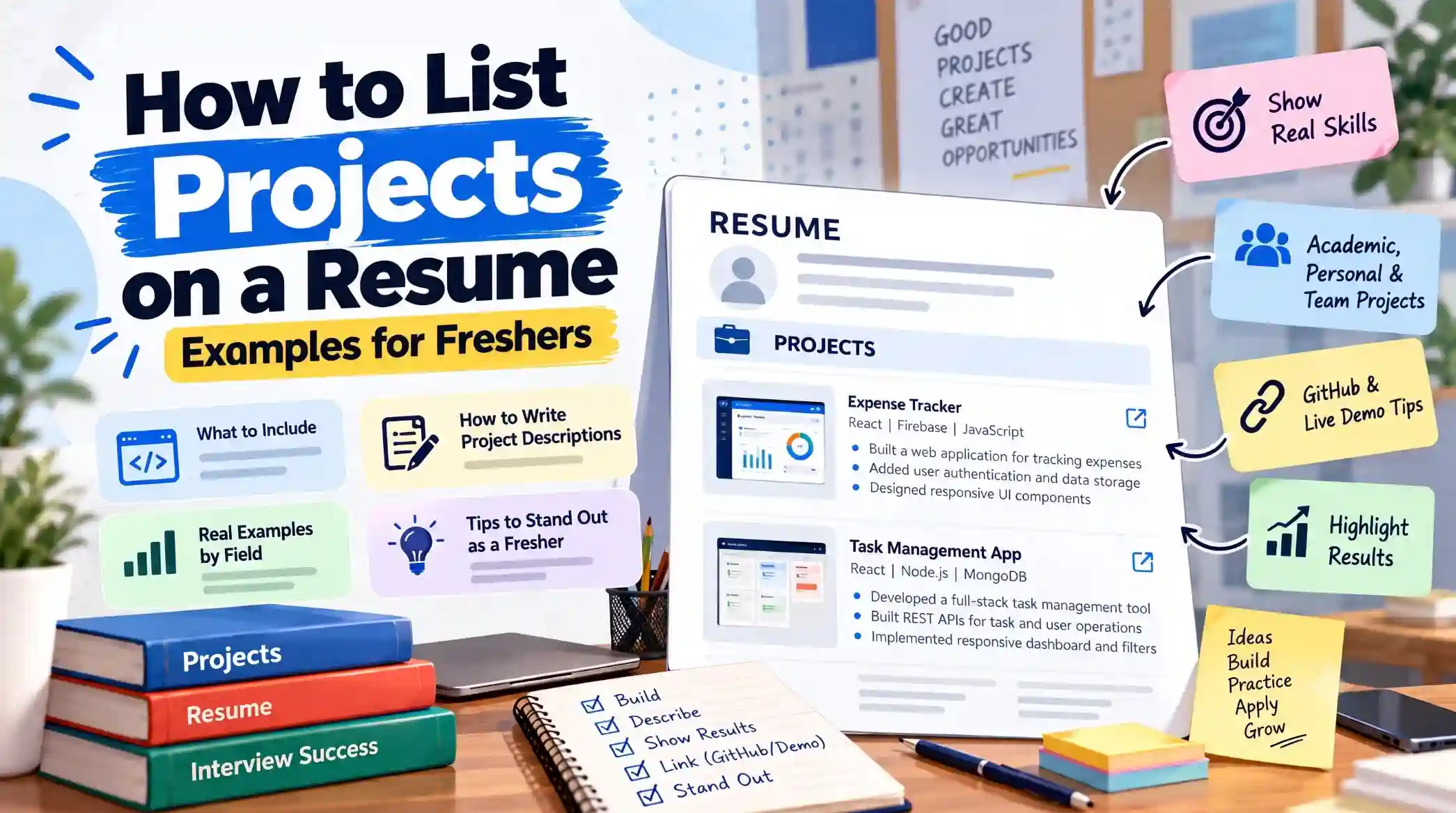
Expense Tracker
React, JavaScript, Firebase
- Built a responsive web application for recording and categorizing personal expenses.
- Added Firebase authentication and cloud data storage for user accounts and expense records.
- Designed reusable React components for transaction and summary views.
You can also combine projects with other relevant experience when your resume is short. For example, a fresher might have sections for Experience, Projects, Education, and Skills.
The goal is to make your strongest evidence easy to find rather than hiding relevant projects at the bottom of the resume.
What Information Should a Resume Project Include?
A project entry does not need to contain every detail about the application, research, or assignment. Include enough information for the reader to understand the project and your contribution.
Depending on the project, useful details can include:
- Project name
- Technologies, tools, or methods used
- What the project does
- Your specific contribution
- Important features or responsibilities
- Results or measurable outcomes, when genuine
- Project link, when a useful public demo or repository is available
You don't necessarily need every item for every project. For example, adding a project link is useful when the project is publicly accessible and ready for someone to review, but a link is not required for every academic project.
What matters most is that the information you include helps the reader understand the project quickly.
How to Write a Project Description on a Resume
The project description should quickly explain what you built or worked on and why it matters. Avoid turning the description into a technical document. Your resume has limited space, so focus on the parts that help someone understand your contribution.
A useful approach is to think about four questions:
- What did you build or work on?
- What problem did it solve or what was its purpose?
- What did you personally contribute?
- What was the result or outcome?
You don't need to answer every question in every bullet. Together, though, they can help you move from a vague project description to a more useful one.
For example, consider this description:
Less effective:
Created a resume builder using React. Used JavaScript, CSS, and Firebase.
It tells the reader what technologies were used, but very little about the actual project.
A more informative version could be:
More specific:
Built a web-based resume builder using React and JavaScript that allows users to create and customize resumes through reusable form components. Added Firebase authentication and cloud storage for saving user-created resumes.
The second version gives the reader a better idea of what the project does, how it was built, and what the candidate contributed.
How to Write Project Bullet Points
Once you've introduced the project, use bullet points to highlight the most relevant parts of your work. Project bullets should focus on actions and contributions rather than simply repeating the project name or technology list.
For example, instead of writing:
- React project
- Used Firebase
- Made login page
you could write:
- Built reusable React components for resume creation and editing workflows.
- Implemented Firebase authentication for user sign-in and account management.
- Designed responsive form interfaces for entering and organizing resume information.
The second version provides context around the technologies instead of presenting them as isolated keywords.
This is similar to writing strong experience bullets: describe what you actually did and make the contribution clear. If you want to improve the bullet points throughout your resume, you can also refer to our guide to writing strong resume bullet points .
Start With a Clear Action
Strong project bullets often begin with an action verb. Words such as built, developed, designed, implemented, created, integrated, analyzed, and automated can make the contribution easier to understand.
Instead of: Worked on a web application.
Try: Developed a responsive web application for tracking personal expenses using React and JavaScript.
Choose an action that accurately represents your contribution. Don't use a stronger-sounding verb if it changes the meaning of what you actually did.
How to Mention Technologies in a Resume Project
Listing the technologies used in a project can help recruiters quickly understand your technical background. However, the project section should not become a collection of keywords.
One simple approach is to place the main technologies directly below the project name:
Task Management Dashboard
React, JavaScript, Node.js, Express, MongoDB
- Built a dashboard for creating, assigning, and tracking project tasks.
- Developed REST API endpoints using Node.js and Express for task and user operations.
- Connected the application to MongoDB for storing user and task information.
This gives the reader both pieces of information: the technologies you used and how you used them.
Avoid adding a long technology list containing tools that were only briefly explored. If a technology was not meaningfully used in the project, it is usually better left out.
Should You Include Every Technology?
No. Focus on the technologies that are relevant to the project and the type of position you're applying for.
For example, a project may technically use Git, an IDE, a browser, a hosting platform, and several development libraries. You don't need to list every tool involved in building it.
The goal is to communicate your relevant technical experience, not to create the longest possible technology list.
How to Show Project Results
If your project produced a measurable or clearly observable result, consider including it in the project description.
For example:
- Built a document processing tool that reduced a manual formatting task from approximately 10 minutes to less than 2 minutes.
- Created a dashboard that brought data from three separate sources into a single reporting interface.
- Developed an application used by 25 students during a college project evaluation.
These details give the reader additional context about the project's outcome.
However, you should only use metrics that are based on something you actually measured or can reasonably support.
Avoid writing claims such as "improved performance by 80%" or "used by 10,000 users" unless you genuinely have evidence for those numbers. An honest project description is more useful than an impressive-looking but unsupported claim.
How to List a Team Project on a Resume
Team projects can be valuable, but it is important to make your own contribution clear. A recruiter should not have to guess which parts of the project you worked on.
For example, instead of writing:
Built a college e-commerce application with five team members.
you could explain your role:
E-Commerce Web Application
React, Node.js, Express, MongoDB
- Developed product listing and shopping-cart interfaces using React as part of a five-member team.
- Integrated frontend components with REST APIs for retrieving product and cart information.
- Collaborated with team members through Git and participated in testing and debugging before project submission.
The project is still presented as a team effort, but the bullets make your individual responsibilities clearer.
Don't claim ownership of features that another team member developed. Instead, describe the parts you actually contributed to.
Should You Add a GitHub or Live Project Link?
A GitHub repository, live demo, portfolio page, or other relevant project link can be useful when someone reviewing your resume can actually access and understand the project.
For example:
Expense Tracker | GitHub | Live Demo
React, JavaScript, Firebase
- Built a responsive application for recording and categorizing personal expenses.
- Added authentication and cloud storage using Firebase.
Only include links that are ready to be reviewed. A broken repository, unfinished demo, empty GitHub project, or link that requires unnecessary access can make the project less useful.
You also don't need to add a link simply because you have one. If the project contains private information, confidential code, or cannot be accessed publicly, leave the link out and describe the project clearly instead.
How to List an Academic Project on a Resume
Academic projects can be valuable for students and freshers, especially when they are relevant to the role you're applying for. A final-year project, coursework assignment, research project, or team-based college project can demonstrate practical knowledge even when you don't have much professional experience.
The important thing is to describe the project as actual work rather than simply giving it a title.
Smart Attendance System
Python, OpenCV, MySQL
- Developed an attendance application that used facial recognition to identify registered students and record attendance.
- Connected the application to MySQL for storing student and attendance records.
- Designed the system as a team project and contributed to the recognition and database integration components.
If the project was completed as part of your degree or coursework, you can mention that context when it helps the reader understand the project.
For example:
Online Learning Platform
Final-Year Academic Project | React, Node.js, MongoDB
- Built a web application for managing online courses, student enrollment, and learning materials.
- Developed REST APIs for course and user operations using Node.js and Express.
- Designed responsive React interfaces for course browsing and student dashboards.
Keep the academic context clear, but give most of the available space to the actual work you performed.
How to List a Final-Year Project
A final-year project can deserve more space than a small classroom assignment when it represents substantial work and is relevant to the position you're applying for.
Start with the project name and the main technologies, methods, or tools involved. Then use a few bullets to explain the problem, implementation, and your contribution.
Inventory Management System
Final-Year Project | React, Spring Boot, PostgreSQL
- Developed a web application for managing products, stock levels, and inventory transactions.
- Built REST APIs using Spring Boot for product and inventory operations.
- Designed PostgreSQL tables for storing product, user, and transaction data.
If the project involved a team, clearly separate your contribution from the work completed by other members. This is particularly important when the project contains several different technical areas.
A final-year project should also not take up most of your resume simply because it was a large academic assignment. Keep the description relevant to the position you're targeting.
How to List a Personal Project on a Resume
Personal projects can be especially useful when you're trying to demonstrate skills that you haven't yet used professionally.
A personal project could be an application you built to solve a problem, a website you created to practice frontend development, a data analysis project, an automation script, or another independent project related to your target career.
Personal Finance Tracker
React, TypeScript, Firebase
- Built a responsive web application for recording and categorizing personal income and expenses.
- Implemented user authentication and cloud data storage using Firebase.
- Created summary views to help users review spending by category and date.
You don't need to describe a personal project as professional experience. Its value comes from showing what you can build, how you approach problems, and how you apply the skills you have learned.
If you're still looking for ideas for projects that can demonstrate useful skills, our project ideas for freshers guide can help you identify projects based on different areas of interest.
What If Your Project Doesn't Have GitHub or a Live Demo?
A project does not need a public GitHub repository or live demo to belong on your resume.
Some academic projects, college assignments, research projects, and applications built for learning may not be publicly accessible. You can still describe them as long as the project is genuine and the information you provide is accurate.
For example:
Student Performance Analysis
Python, Pandas, Matplotlib
- Cleaned and analyzed a dataset containing student performance records.
- Used Python and Pandas to calculate summary statistics and identify patterns in the data.
- Created visualizations to present performance trends and findings.
In this situation, the description itself needs to provide enough context because there is no external project page for the reader to inspect.
Don't add a placeholder link, a private repository link that the recruiter cannot access, or a demo that is no longer functional just because you think every project needs one.
How Many Projects Should You Include?
There is no universal number of projects that every resume should contain. The right number depends on your experience, the available space, and how relevant the projects are to the position.
For a fresher, two or three strong projects can often provide enough material for a useful Projects section. If you have several relevant projects, you can choose the strongest ones rather than trying to list everything you've ever built.
For example, if you have five small projects but only two demonstrate skills directly related to the position, those two may deserve the available space more than all five.
Quality and relevance matter more than filling the section with a long list of project names.
How to Choose Which Projects to Put on Your Resume
If you have more projects than you can reasonably fit on one resume, compare them based on their relevance to the position.
Consider questions such as:
- Does the project use skills or technologies relevant to the role?
- Can I clearly explain what I contributed?
- Does the project demonstrate practical problem-solving?
- Did I build something meaningful rather than only following a tutorial?
- Can I explain the technical or business decisions I made?
- Is there a genuine result, feature, or outcome worth mentioning?
These questions can help you decide which projects deserve space without trying to make every project sound equally important.
A project that you can confidently explain during an interview is often more useful than one that looks impressive on paper but that you barely understand.
How to Tailor Projects to a Job Description
You don't need to create a completely different project section for every application. Instead, review the job description and identify which parts of your existing projects are most relevant.
For example, suppose a frontend developer job mentions React, JavaScript, responsive design, and REST APIs. If you have a project involving all four, make those genuine contributions easy to find.
Task Management Dashboard
React, JavaScript, Node.js, Express
- Developed a responsive task management dashboard using React and JavaScript.
- Integrated REST APIs for retrieving and updating task information.
- Designed reusable components for task lists, filters, and status views across desktop and mobile layouts.
The project hasn't changed. You are simply making the parts that are already relevant to the position easier to identify.
The same principle applies to other fields. A data project can emphasize analysis and visualization for one role, while the same project might emphasize data cleaning or reporting for another.
When tailoring your resume, don't add a skill or responsibility merely because it appears in the job description. Only highlight things you genuinely did.
For a more detailed look at this process, see our step-by-step guide to tailoring your resume to a job description .
Common Project Resume Mistakes
Even a good project can become less useful when it is presented poorly. These are some common mistakes to avoid.
1. Listing Only the Project Name
A title such as "E-Commerce Website" doesn't tell the reader what you built or what your contribution was. Add enough detail to explain the project.
2. Listing Technologies Without Context
Writing "React, Node.js, MongoDB, Git, AWS" without explaining how those technologies were used provides limited information. Connect important technologies to actual project work.
3. Copying a Tutorial Project Without Adding Your Contribution
Following a tutorial can be a useful way to learn, but be careful about presenting a tutorial project as if you designed and built the entire solution independently.
If you extended the project with your own features, explain those contributions honestly.
4. Adding Too Many Projects
A long list of small projects can make the resume harder to scan. Prioritize the projects that provide the strongest and most relevant evidence.
5. Using Unsupported Metrics
Don't invent user counts, performance improvements, percentages, or business results. If you didn't measure the result, describe the actual outcome without adding a number.
6. Taking Credit for the Entire Team Project
Clearly explain your own contribution when a project was completed by a group. Your resume should accurately represent your role.
7. Including Broken or Irrelevant Links
A project link should make it easier to review your work. Remove links that are broken, private, outdated, or unrelated to the project.
Project Resume Checklist
Before submitting your resume, review each project and make sure the information is clear, relevant, and accurate.
- The project name is clear and easy to find.
- The main technologies, tools, or methods are listed where appropriate.
- The description explains what the project actually does.
- Your individual contribution is clear, especially for team projects.
- The bullet points describe meaningful work rather than simply listing features.
- Any metrics or results included are genuine and supportable.
- Project links work and are accessible to the person reviewing the resume.
- The projects are relevant to the position you're applying for.
- The section does not contain unnecessary technologies or repetitive information.
A project section does not need to be complicated. The reader should be able to understand what you built, what you contributed, and why the project is relevant without having to spend several minutes decoding it.
Frequently Asked Questions
Should freshers include projects on their resumes?
Yes. Projects can be particularly useful for students and freshers because they provide evidence of practical skills when professional experience is limited. Choose projects that are relevant to the role and that you can confidently explain.
How many projects should a fresher put on a resume?
There is no fixed number that works for everyone. Two or three strong and relevant projects can be enough for many fresher resumes. If you have more projects, prioritize the ones that provide the strongest evidence for the position you're applying for.
Should I include academic projects on my resume?
Yes. Academic projects can be useful when they demonstrate relevant skills, technical knowledge, research, problem-solving, or other abilities related to the position. Final-year and substantial academic projects may deserve more space than small classroom assignments.
Can I include personal projects on my resume?
Yes. Personal projects can demonstrate skills that you have developed independently, particularly when you have limited professional experience. Describe what you actually built and the contribution you made.
Should I add GitHub links to my projects?
A GitHub link can be useful when the repository is accessible, organized, and contains work that someone reviewing your resume can reasonably understand. You don't need to include a GitHub link if the repository is private, unfinished, empty, or not useful for evaluating the project.
Should I include a live demo of my project?
A live demo can be useful when the project is functional and accessible without unnecessary restrictions. Make sure the link works before including it on your resume.
What if my project was completed by a team?
You can include team projects, but make your individual contribution clear. Explain the features, responsibilities, or technical areas that you personally worked on rather than taking credit for the entire project.
Should I list every technology used in a project?
No. Include the technologies that are relevant and that you meaningfully used. A short list supported by project-specific examples is generally more useful than a long collection of keywords.
Can I include a project I built from a tutorial?
You can mention a project you learned from through a tutorial when you are transparent about your contribution. If you substantially extended the project or added your own features, describe those contributions accurately rather than presenting tutorial work as entirely your own original implementation.
Should project descriptions contain numbers or metrics?
Include measurable results when you genuinely measured them or have reliable evidence for them. Don't invent percentages, user counts, performance improvements, or other metrics simply to make a project appear more impressive.
Conclusion
Projects can give freshers a useful way to demonstrate practical skills, especially when professional experience is limited. But simply listing project names and technologies doesn't tell the reader enough.
A strong project entry should make it clear what you built, what tools or technologies you used, what you personally contributed, and what the project accomplished when a genuine result is available.
Start by selecting projects that are relevant to the position you're applying for. Then describe them with concise bullet points that focus on your actual work rather than turning the section into a long technical explanation.
If the project was completed as a team, clearly explain your own contribution. If it was an academic or personal project, don't try to make it look like professional employment. And if you include GitHub or live-demo links, make sure they are accessible and ready to be reviewed.
Most importantly, keep the project section honest. You don't need to exaggerate the size of a project, add technologies you barely used, or invent impressive-looking metrics. A project that you genuinely understand and can confidently explain is more valuable than one that simply looks impressive on paper.
If you're still building projects to strengthen your resume, you can explore our project ideas for freshers guide for additional ideas.
Once your resume is ready, you can use ResumeInator's free resume builder to organize your projects and other sections into a complete resume.
You can also review your finished resume with the ResumeInator ATS Resume Scanner before submitting applications.